manic-with-image-prompter
Mimicit is a Chrome extension that converts any web image into AI-generated artwork by auto-generating prompts and using multiple image-generation models (Gemini, FLUX, GPT, Imagen) with optional img2img reference support.
manic-with-image-prompter is image & design software teams evaluate for creative & design. Use this page to review pricing, integration signals, and the best alternatives before you commit.
Profile facts come from the vendor source. AiMatch labels unknown pricing or API details instead of estimating them.
Review official source →Used in These Packs
Quick Overview
Best for: Creative & Design
What it does
Image & Design software for decision-makers comparing workflow fit and alternatives.
Best fit
Creative & Design
Pricing snapshot
Free from Free to start — no credit card required
Next step
Compare manic-with-image-prompter with similar tools before you shortlist it.
Compare this tool before you shortlist it
Review alternatives, pricing posture, and workflow fit side by side.
Mimicit is a browser extension (Chrome) that lets users right-click any image on a webpage to capture it and automatically generate a high-quality AI prompt. The prompt is produced by state-of-the-art models (e.g., Gemini) and can be edited, translated, and refined in the side panel. Users can then generate new artwork from that prompt using supported image-generation models such as Imagen, FLUX, and GPT, including support for img2img reference images and cloud generation history.
The product is positioned for quick creative workflows in the browser: installation from the Chrome Web Store is free and requires no credit card to start.
Mimicit simplifies AI image generation with a Chrome extension and AI art platform.
Own this listing?
Claim this page for a one-time $29 to add pricing, features, screenshots, verified owner details, and a clearly labeled 30-day category position after the profile is live.
Claim this listing for $29Key Features
One-click image capture
Right-click any image on any webpage and it loads directly into the side panel — no screenshots, no copy-paste.
AI prompt generation
State-of-the-art models like Gemini analyze the image and instantly generate a prompt that can be edited, translated, and refined.
High-quality image generation
Generate new images from the prompt using multiple supported models (Imagen, FLUX, GPT and more).
img2img reference support
Supports using reference images (img2img) to guide generation and create variations from the captured image.
Cloud generation history
Cloud generation history is available to review past generations.
Pricing
Free to start — install the Chrome extension and create an account with no credit card required.
Free
Free to start — no credit card required- Chrome extension install
- AI prompt generation
- Access to supported generation models (subject to model availability in the extension)
Use Cases
Create AI art from web images
Capture images found on websites and transform them into new artwork using automatically generated prompts and image-generation models.
Rapid prompt creation and editing
Let AI generate an initial prompt for an image, then translate or refine it in the side panel to control output style and content.
Generate variations using img2img
Use the captured image as a reference to produce stylistic or content variations via img2img workflows.
Integrations
Chrome
Delivered as a Chrome extension enabling right-click capture and in-browser side panel workflow.
Gemini, FLUX, GPT, Imagen
Supports multiple external AI image-generation models for prompt analysis and image generation.
Benefits
Limitations
No verified limitations are available.
Frequently Asked Questions
No verified FAQs are available.
Getting Started
- 1 Step 1: Install the extension from the Chrome Web Store (install for free).
- 2 Step 2: Right-click any image on a webpage and select 'Generate with Mimicit'.
- 3 Step 3: Let the AI analyze the image and generate a prompt; edit, translate, or refine the prompt as needed.
- 4 Step 4: Choose a model (Imagen, FLUX, GPT etc.) and generate new images; review generation history in the cloud.
Support
contact page
Site provides a Contact link in the navigation for reaching the team.
docs/FAQ
FAQ is listed in the site navigation for common questions.
install
Chrome Web Store listing is used to install the extension.
API
Compare manic-with-image-prompter with similar tools
See how it stacks up against alternatives
Related Tools
View all 386 →

EzMaker AI
EzMaker AI is a free, browser-based AI photo editor and image generator for removing objects and backgrounds, enhancing and upscaling images, and making edits from text prompts. The page says it requires no sign-up and supports commercial use subject to obtaining any necessary authorization.


Pixarmory
PixArmory is a web-based AI photo editor and image-generation toolkit that lets users edit, stylize, and generate images from plain-English prompts using models like Nano Banana (Google) and GPT Image 2 (OpenAI). It targets creators, designers, and professionals seeking fast, multi-model image editing workflows without advanced design skills.
SampleFaces
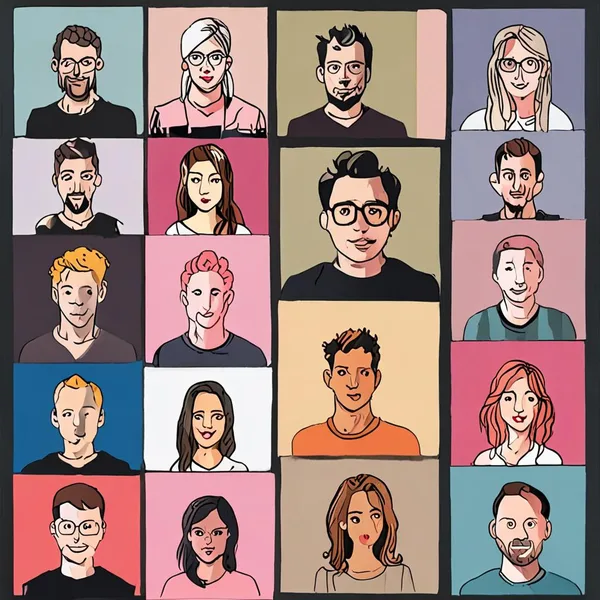
SampleFaces provides free, AI-generated profile picture placeholders for developers via a simple image API and ready-to-use URLs for rapid prototyping and UI mockups.

photofairy
PhotoFairy is an AI-powered photo-to-art app and creative canvas for turning photos into stylized artwork and performing image editing and design tasks, aimed at photo editing and graphic design workflows.

Dreamshootai
DreamShootAI is an AI-driven couple photo studio that converts user selfies into photo-realistic couple, wedding, engagement, boudoir photos and short AI videos, offering themed photo packs, virtual try-on, and interactive AI companion features.

Premium Alternatives




Prompt Hunt
Prompt Hunt is a web platform for creating, browsing, and sharing AI-generated art using curated prompt templates and its in-house Chroma model, aimed at creatives, teams, and prompt engineers.