
Circleback
Circleback is an AI-powered meeting assistant that captures and organizes meeting context, auto-generates polished notes, extracts action items, automates workflows across apps, and provides searchable QA across all conversations.
Circleback is productivity software teams evaluate for productivity. Use this page to review pricing, integration signals, and the best alternatives before you commit.
Profile facts come from the vendor source. AiMatch labels unknown pricing or API details instead of estimating them.
Review official source →Used in These Packs
Quick Overview
Best for: Productivity
What it does
Productivity software for decision-makers comparing workflow fit and alternatives.
Best fit
Productivity
Pricing snapshot
Freemium from Free
Next step
Compare Circleback with similar tools before you shortlist it.
Compare this tool before you shortlist it
Review alternatives, pricing posture, and workflow fit side by side.
Circleback is an AI-powered meeting product that captures and organizes context from conversations to produce automatic, polished meeting notes, action items, and searchable meeting content. It targets professionals and teams who want to reduce manual note-taking, automatically surface action items and insights, and connect meeting data to other apps and workflows. The product provides transcription with speaker identification and supports over 100 languages, plus integrations and automations to sync meeting data across calendars, email, CRMs, project management and productivity tools.
Circleback is an AI-powered meeting assistant that captures and organizes meeting context, auto-generates polished notes, extracts action items, automates workflows across apps, and provides searchable QA across all conversations.
Own this listing?
Claim this page for a one-time $29 to add pricing, features, screenshots, verified owner details, and a clearly labeled 30-day category position after the profile is live.
Claim this listing for $29Key Features
AI-powered meeting notes
Automatically written, polished notes created from meeting audio so users don't need to take manual notes.
Automatic action items
Action items are automatically captured, assigned, and organized after every meeting.
Automations & integrations
Automate workflows and stay connected across apps via native integrations, webhooks, Zapier, and Make to update CRMs, project tools, and more.
Search & conversational QA
Search across all meetings and ask questions to get answers drawn from conversations you've had.
High-accuracy transcription & speaker identification
State-of-the-art transcription accuracy with technical-term and accent accuracy, and each speaker automatically identified by name; supports over 100 languages.
Security & privacy
Built with best-in-class security practices to keep user data private and secure (security.circleback.ai).
Pricing
Start for free
Free
Free- Start for free access to Circleback (details not specified on page)
Paid subscription
Subscription available (price not listed on page)- Subscribe if you love it (details and tiers not provided on page)
Use Cases
Automated meeting notes for professionals and teams
Replace manual note-taking by generating meticulous, organized notes automatically after meetings.
Action item capture and task automation
Automatically capture and assign action items and create tasks in tools like Linear, Notion, Monday, or other integrated apps.
CRM syncing and sales productivity
Keep HubSpot, Salesforce, Attio and other CRM records updated automatically with meeting data and contact information.
Provide agents conversation context
Give support or sales agents conversation context via CLI or integrations so they have the information needed to act.
Search and research across meetings
Ask questions and retrieve answers drawn from your corpus of meetings to find past decisions, follow-ups, and context.
Integrations
Google Calendar
Connect Google Calendar to record meetings.
Gmail
Connect Gmail to see context from emails.
Outlook
Connect your Outlook calendar and email to record meetings and see emails.
Claude, ChatGPT, Cursor, Raycast
Connect AI tools and productivity extensions (listed as MCP integrations).
CLI / Agents
Access or give agents the conversation context they need via CLI.
Webhook
Access all meeting data and build custom integrations.
Slack
Share meetings automatically and ask Circleback questions in Slack.
HubSpot
Update HubSpot deals and contacts automatically.
Salesforce
Update Salesforce opportunities and contacts automatically.
Attio
Update people, companies, and deals in Attio automatically.
Linear
Create Linear tasks automatically.
Notion
Update Notion pages and databases with meeting data automatically.
Monday
Update Monday boards with action items.
Zoho
Update Zoho records automatically.
Zapier
Connect Zapier to integrate with thousands of apps.
Make
Connect Make to integrate with thousands of apps.
Benefits
Limitations
No verified limitations are available.
Frequently Asked Questions
No verified FAQs are available.
Getting Started
- 1 Step 1: Start for free by signing up on the Circleback website.
- 2 Step 2: Connect your calendar and email (Google Calendar, Gmail, Outlook) to record meetings and surface email context.
- 3 Step 3: Enable integrations (Slack, HubSpot, Salesforce, Notion, Linear, Zapier, Make) or webhooks to automate workflows and sync data.
Support
Support
Access support via the Support and Resources pages linked in the site footer (Support, Resources, Security, Status).
Documentation
Integration and onboarding information is available from product pages and integration listings on the Circleback site.
API
Compare Circleback with similar tools
See how it stacks up against alternatives
Related Tools
View all 113 →
Windrunner
Windrunner is an AI-powered project collaboration and work management platform that combines work items, decisions, blockers, evidence, and progress into a single shared workspace to help teams coordinate work and review AI-proposed updates.


threadfork
threadfork is a macOS native, on-device AI notetaker that records, transcribes, and organizes meetings locally on Apple Silicon — generating summaries, threads (commitments/decisions), entities, and semantic search without sending audio to the cloud.
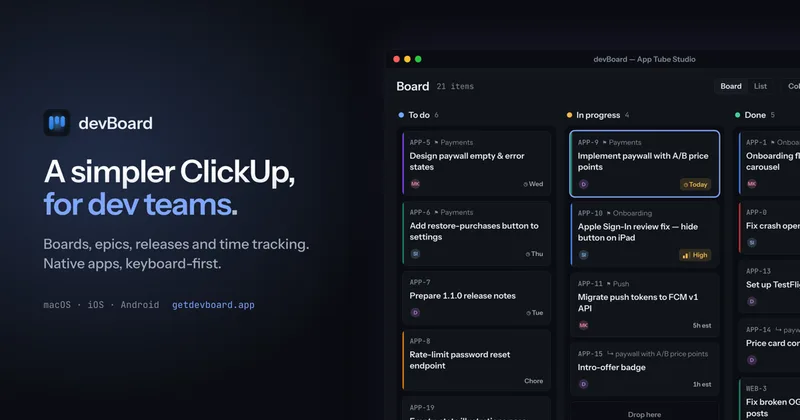

Afterlid, guarded lid closed work for macOS
Afterlid is a native macOS menu‑bar app that keeps downloads, renders, backups, dev servers, remote access, and local AI agents running after you close the lid by offering guarded modes (Sleepy, Awake, Always On) with built‑in battery, thermal, heartbeat, and time limits.

CardGo
CardGo is a Chrome extension and context-management product that stores small, reusable, end-to-end encrypted AI context “cards” you attach to chats (ChatGPT, Claude, Gemini, Perplexity, Grok) so multiple AI tools can access the right user context without sharing your full profile.
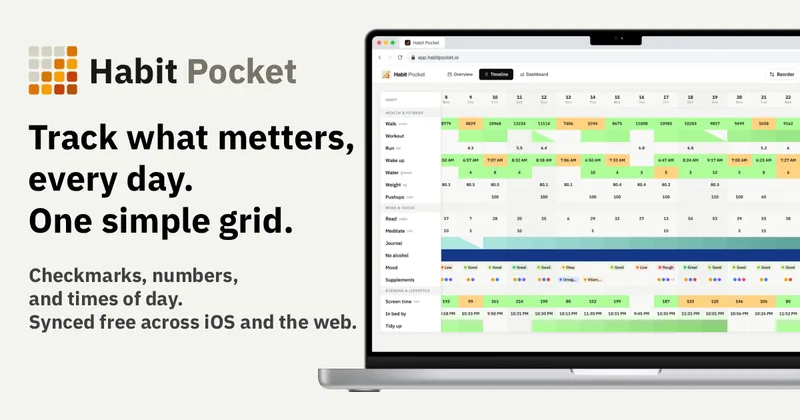
Habit Pocket
Habit Pocket is a multi-platform habit tracker that logs yes/no checks, numeric values, times, and categorical selections in a single grid, plus charts and AI integrations to reveal correlations between habits, sleep, mood, and energy.
Premium Alternatives
gistreader
GistReader is a web-based read-it-later app that uses AI to summarize articles and remove distractions, supporting individual pages and RSS feeds while syncing content across devices.

AI Summarizer (summarizer.org)
AI Summarizer (summarizer.org) is a web-based AI-powered text summarization tool that shortens text while preserving main points, supporting text, DOCX, images and URLs, multiple output styles (paragraphs, bullet points), multiple languages, and optional premium features.
Writingmate
Writingmate is an all-in-one AI workspace that brings chat, files, web search, image and video generation, and 350+ third-party models (GPT, Claude, Gemini, Grok, Sora, Veo, etc.) into a single app designed for productivity, content, and team work.

Inbox Zero
Inbox Zero is an AI email assistant that organizes and labels inbox messages, drafts replies in the user's voice, and helps manage email from web, mobile, Slack, or Telegram. It works alongside Gmail or Outlook rather than replacing the email client.

HigLabo Mail Agent
HigLabo Mail Agent is part of HigLabo, an AI-powered integrated workspace that organizes inboxes and automatically converts actionable emails into tasks to help teams and individuals reduce context switching and work more efficiently.