
Deck
Deck is an AI-powered presentation builder that asks context-first questions, pulls content from your tools and the web, and auto-generates editable presentation canvases for founders, PMs, designers, engineers, and consultants.
Deck is ai tools software teams evaluate for productivity. Use this page to review pricing, integration signals, and the best alternatives before you commit.
Profile facts come from the vendor source. AiMatch labels unknown pricing or API details instead of estimating them.
Review official source →Used in These Packs
Quick Overview
Best for: Productivity
What it does
AI Tools software for decision-makers comparing workflow fit and alternatives.
Best fit
Productivity
Pricing snapshot
Freemium from $0 / month
Next step
Compare Deck with similar tools before you shortlist it.
Compare this tool before you shortlist it
Review alternatives, pricing posture, and workflow fit side by side.
Deck is an AI-first tool that helps people explain and present their work by asking context-driven questions before generating output. It connects to existing tools, pulls context from sources like Figma, Linear, Notion, uploads, and the web, then builds a structured, editable canvas ready to present. The product targets professional users such as founders, product managers, designers, engineers, and consultants who need to create pitch decks and internal presentations quickly and accurately.
The most capable AI assistant with its own inbox Discussion | Link
Own this listing?
Claim this page for a one-time $29 to add pricing, features, screenshots, verified owner details, and a clearly labeled 30-day category position after the profile is live.
Claim this listing for $29Key Features
Agent-first workflow
Deck opens with questions to understand what you are explaining and who your audience is before building content ('the agent that asks before it acts').
Context connectors
Connects to tools like Figma, Linear, Notion and your uploads to pull relevant context for building a deck.
Live web search
Optional web search that pulls live results so your story uses current facts and real sources.
Auto-generated editable canvas
Builds a complete, structured, editable canvas from pulled context, ready for editing and presenting.
Agent chat
Chat agent that can pull context from tools and the web to refine and shape the deck.
Templates and credits
Includes templates and a credit-based usage model across Free and paid tiers; higher tiers offer more templates and credits.
Pricing
One full deck for free: 20 credits, integrations with Figma and Linear, templates, and access to a baseline AI model.
Free
$0 / month- One full deck
- 20 credits
- Claude Haiku 4.5
- Linear integration
Professional (listed at $25 / month)
$25 / month- For professionals creating at scale
- 100 credits / month
- All features in Free, plus more credits
- Claude Sonnet 4.5
Power (listed at $35 / month)
$35 / month- For power users who want the best AI and full access
- 100 credits / month
- All features in Pro, plus premium templates
- Priority support
Use Cases
Fundraising pitches
Founders pitching their next round can generate investor-facing decks tailored to the audience and round size.
Product alignment
Product managers can align teams by generating clear presentations that surface progress, KPIs, risks, and hiring or cash asks.
Design & stakeholder communication
Designers can make their case with contextual decks pulled from design files and project notes.
Technical explanations
Engineers can explain complex technical work in structured, editable slides.
Client deliverables
Consultants on deadlines can assemble polished client-facing presentations quickly.
Integrations
Figma
Pulls design context and assets from Figma to incorporate into decks.
Linear
Pulls product and engineering context from Linear to inform progress, KPIs, and technical slides.
Notion
Pulls notes and documentation from Notion to build narrative and content.
Uploads & web
Supports user uploads and optional web search to gather live sources and additional context.
Benefits
Limitations
No verified limitations are available.
Frequently Asked Questions
No verified FAQs are available.
Getting Started
- 1 Request Access or sign up via the site.
- 2 Login to your account and connect tools (Figma, Linear, Notion, uploads) to allow Deck to pull context.
- 3 Answer the initial guidance questions (audience, sections to cover) and let Deck build an editable canvas; edit and present as needed.
Support
Request Access / Login
Primary onboarding and account access flows are available via the site (Request Access, Login).
Social
Company presence on LinkedIn, X, and Instagram (links available on the site).
Legal & Privacy
Terms of Service and Privacy Policy linked on the site for policies and legal questions.
API
Compare Deck with similar tools
See how it stacks up against alternatives
Related Tools
View all 132 →
Windrunner
Windrunner is an AI-powered project collaboration and work management platform that combines work items, decisions, blockers, evidence, and progress into a single shared workspace to help teams coordinate work and review AI-proposed updates.

threadfork
threadfork is a macOS native, on-device AI notetaker that records, transcribes, and organizes meetings locally on Apple Silicon — generating summaries, threads (commitments/decisions), entities, and semantic search without sending audio to the cloud.


Afterlid, guarded lid closed work for macOS
Afterlid is a native macOS menu‑bar app that keeps downloads, renders, backups, dev servers, remote access, and local AI agents running after you close the lid by offering guarded modes (Sleepy, Awake, Always On) with built‑in battery, thermal, heartbeat, and time limits.

CardGo
CardGo is a Chrome extension and context-management product that stores small, reusable, end-to-end encrypted AI context “cards” you attach to chats (ChatGPT, Claude, Gemini, Perplexity, Grok) so multiple AI tools can access the right user context without sharing your full profile.
Habit Pocket
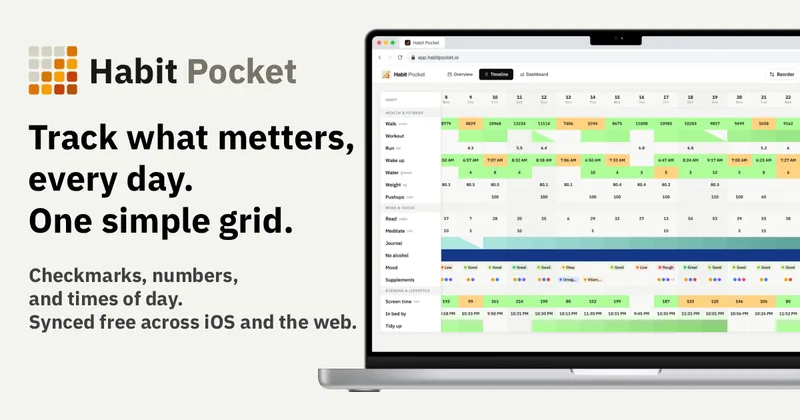
Habit Pocket is a multi-platform habit tracker that logs yes/no checks, numeric values, times, and categorical selections in a single grid, plus charts and AI integrations to reveal correlations between habits, sleep, mood, and energy.
Premium Alternatives
gistreader
GistReader is a web-based read-it-later app that uses AI to summarize articles and remove distractions, supporting individual pages and RSS feeds while syncing content across devices.

AI Summarizer (summarizer.org)
AI Summarizer (summarizer.org) is a web-based AI-powered text summarization tool that shortens text while preserving main points, supporting text, DOCX, images and URLs, multiple output styles (paragraphs, bullet points), multiple languages, and optional premium features.

Inbox Zero
Inbox Zero is an AI email assistant that organizes and labels inbox messages, drafts replies in the user's voice, and helps manage email from web, mobile, Slack, or Telegram. It works alongside Gmail or Outlook rather than replacing the email client.
Writingmate
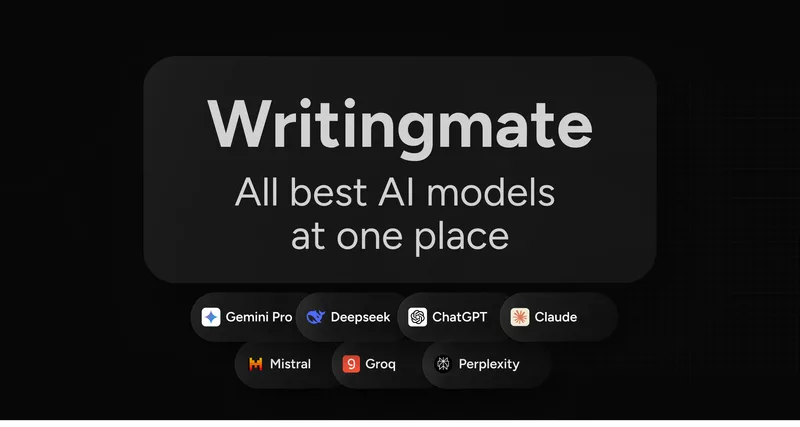
Writingmate is an all-in-one AI workspace that brings chat, files, web search, image and video generation, and 350+ third-party models (GPT, Claude, Gemini, Grok, Sora, Veo, etc.) into a single app designed for productivity, content, and team work.

HigLabo Mail Agent
HigLabo Mail Agent is part of HigLabo, an AI-powered integrated workspace that organizes inboxes and automatically converts actionable emails into tasks to help teams and individuals reduce context switching and work more efficiently.