

Productivitytool
Productivity Tool (by MonitUp) is a free, no-login time- and screen-tracking web app for Windows/PC that uses AI to generate personalized productivity suggestions and weekly tips for individuals and teams.
Productivitytool is productivity software teams evaluate for business operations. Use this page to review pricing, integration signals, and the best alternatives before you commit.
Profile facts come from the vendor source. AiMatch labels unknown pricing or API details instead of estimating them.
Review official source →Used in These Packs
Quick Overview
Best for: Business Operations
What it does
Productivity software for decision-makers comparing workflow fit and alternatives.
Best fit
Business Operations
Pricing snapshot
Free from Free
Next step
Compare Productivitytool with similar tools before you shortlist it.
Compare this tool before you shortlist it
Review alternatives, pricing posture, and workflow fit side by side.
Productivity Tool (by MonitUp) is a web-based productivity and time-tracking tool focused on PC/Windows screen time and screenshots. The product uses AI to generate personalized productivity suggestions and weekly tips based on tracked computer usage and user-provided inputs. It is positioned for both individuals and teams and emphasizes ease of use — advertised as 100% free and requiring no login.
Productivity Tool (by MonitUp) is a free, no-login time- and screen-tracking web app for Windows/PC that uses AI to generate personalized productivity suggestions and weekly tips for individuals and teams.
Own this listing?
Claim this page for a one-time $29 to add pricing, features, screenshots, verified owner details, and a clearly labeled 30-day category position after the profile is live.
Claim this listing for $29Key Features
AI Productivity Suggestions
Generates personalized productivity tips and weekly AI-based recommendations based on tracked usage and user responses ("Get AI Productivity Suggestions", "weekly AI-based productivity tips").
Time Tracking for PC
Tracks daily computer usage and screen time on Windows/PC ("Screen Time for PC", "Track your daily computer usage habits").
Time Tracking with Screenshots
Supports time tracking with screenshots as part of monitoring workflows ("Time Tracking With Screenshots").
Simple, No-login Access
Advertised as 100% free and requiring no login to get started ("100% free, no login required").
Pricing
100% free, no login required
Free
Free- AI productivity suggestions
- PC screen time tracking
- No login required
Use Cases
Personal productivity improvement
Individuals can track screen time and receive AI-generated tips to reduce distractions and improve focus.
Team productivity monitoring
Organizations or teams can measure productivity across members and receive weekly AI-based recommendations to boost team efficiency ("We track your individual or team's productivity").
Daily activity review and reflection
Users answer short prompts about work hours, breaks, distractions and tasks to generate tailored productivity suggestions.
Integrations
No verified integration details are available.
Benefits
Limitations
No verified limitations are available.
Frequently Asked Questions
No verified FAQs are available.
Getting Started
- 1 Step 1: Provide basic inputs about your workday (hours worked, break minutes, main tasks, biggest distractions).
- 2 Step 2: Submit the form and click "Get AI Productivity Suggestions" to generate recommendations.
- 3 Step 3: Review AI suggestions and use tracked daily computer usage data and weekly tips to adjust habits.
Support
Contact via provided support email: [email protected]
site support
Support and uptime/check pages linked on the site ("Support", "Check Uptime").
social
Social links listed on the site: Twitter, Facebook, LinkedIn
API
Compare Productivitytool with similar tools
See how it stacks up against alternatives
Related Tools
View all 113 →
Windrunner
Windrunner is an AI-powered project collaboration and work management platform that combines work items, decisions, blockers, evidence, and progress into a single shared workspace to help teams coordinate work and review AI-proposed updates.

threadfork
threadfork is a macOS native, on-device AI notetaker that records, transcribes, and organizes meetings locally on Apple Silicon — generating summaries, threads (commitments/decisions), entities, and semantic search without sending audio to the cloud.


Afterlid, guarded lid closed work for macOS
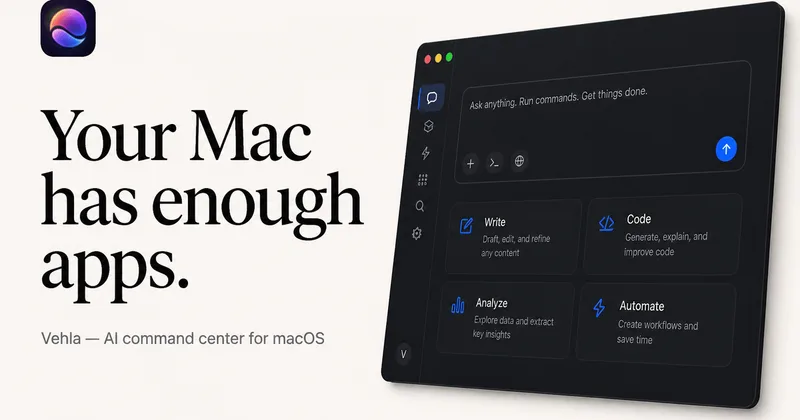
Afterlid is a native macOS menu‑bar app that keeps downloads, renders, backups, dev servers, remote access, and local AI agents running after you close the lid by offering guarded modes (Sleepy, Awake, Always On) with built‑in battery, thermal, heartbeat, and time limits.

CardGo
CardGo is a Chrome extension and context-management product that stores small, reusable, end-to-end encrypted AI context “cards” you attach to chats (ChatGPT, Claude, Gemini, Perplexity, Grok) so multiple AI tools can access the right user context without sharing your full profile.
Habit Pocket
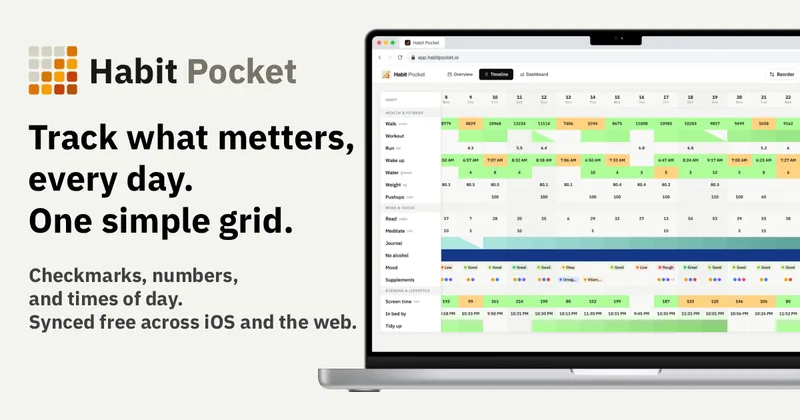
Habit Pocket is a multi-platform habit tracker that logs yes/no checks, numeric values, times, and categorical selections in a single grid, plus charts and AI integrations to reveal correlations between habits, sleep, mood, and energy.
Premium Alternatives
Writingmate
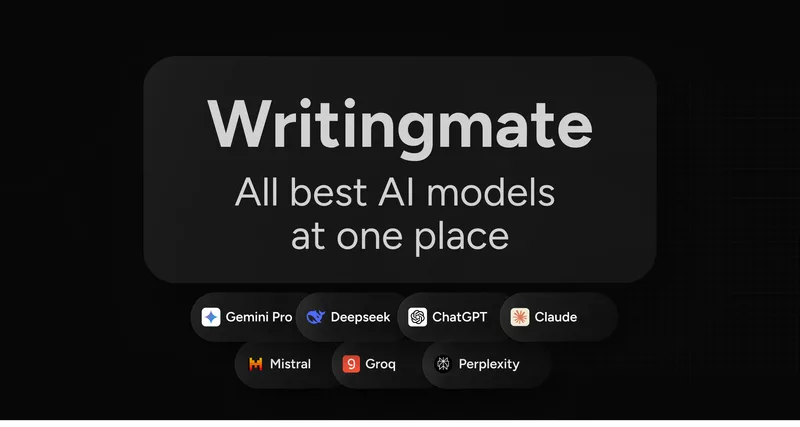
Writingmate is an all-in-one AI workspace that brings chat, files, web search, image and video generation, and 350+ third-party models (GPT, Claude, Gemini, Grok, Sora, Veo, etc.) into a single app designed for productivity, content, and team work.
gistreader
GistReader is a web-based read-it-later app that uses AI to summarize articles and remove distractions, supporting individual pages and RSS feeds while syncing content across devices.

Inbox Zero
Inbox Zero is an AI email assistant that organizes and labels inbox messages, drafts replies in the user's voice, and helps manage email from web, mobile, Slack, or Telegram. It works alongside Gmail or Outlook rather than replacing the email client.

AI Summarizer (summarizer.org)
AI Summarizer (summarizer.org) is a web-based AI-powered text summarization tool that shortens text while preserving main points, supporting text, DOCX, images and URLs, multiple output styles (paragraphs, bullet points), multiple languages, and optional premium features.

HigLabo Mail Agent
HigLabo Mail Agent is part of HigLabo, an AI-powered integrated workspace that organizes inboxes and automatically converts actionable emails into tasks to help teams and individuals reduce context switching and work more efficiently.