

Swifdoo
SwifDoo PDF is an all-in-one PDF editor and converter that lets users edit, convert, compress, merge, sign, protect, and manage PDFs across Windows, macOS, iOS, Android and the web, with built-in AI features for summarization, translation, proofreading and chat with PDFs.
Swifdoo is productivity software teams evaluate for business operations. Use this page to review pricing, integration signals, and the best alternatives before you commit.
Profile facts come from the vendor source. AiMatch labels unknown pricing or API details instead of estimating them.
Review official source →Used in These Packs
Quick Overview
Best for: Business Operations
What it does
Productivity software for decision-makers comparing workflow fit and alternatives.
Best fit
Business Operations
Pricing snapshot
Free
Next step
Compare Swifdoo with similar tools before you shortlist it.
Compare this tool before you shortlist it
Review alternatives, pricing posture, and workflow fit side by side.
SwifDoo PDF is marketed as an AI-powered, all-in-one PDF software suite for editing, converting, merging, compressing, signing, protecting and managing PDF files across Windows, macOS, iOS, Android and web. The product emphasizes business and study productivity, lightweight installation (about 30 MB), quick file opening and a Microsoft Office-like interface for familiar PDF processing. It also includes AI capabilities—summarizing, translating, proofreading, rewriting and chatting with PDF content—to streamline handling large volumes of documents.
SwifDoo PDF is an all-in-one PDF editor and converter that lets users edit, convert, compress, merge, sign, protect, and manage PDFs across Windows, macOS, iOS, Android and the web, with built-in AI features for summarization, translation, proofreading and chat with PDFs.
Own this listing?
Claim this page for a one-time $29 to add pricing, features, screenshots, verified owner details, and a clearly labeled 30-day category position after the profile is live.
Claim this listing for $29Key Features
PDF Editing
Add or delete text, change font size/style/color, insert and adjust images, add hyperlinks and text boxes; edit PDFs like Word.
PDF Conversion
Convert PDFs to/from Word, Excel, PowerPoint, images (JPG, PNG, TIFF), CAD (DWG/DXF), EPUB and other formats; create PDFs from documents and images.
AI PDF Tools
AI-powered features to summarize long PDF files, translate documents, chat with PDFs for explanations, proofread and rewrite content.
OCR (PDF to Text)
OCR engine to recognize text within scanned or image-only PDFs and convert them into searchable, editable PDFs.
View & Reader
Multiple viewing modes, read-aloud functionality and tap-to-translate selected text in PDFs.
Compress & Optimize
Compress PDF files using low/medium/high settings to reduce file size without losing quality; batch compression supported.
Merge & Split
Combine multiple PDFs into one or split PDFs into pages or smaller files for better file management.
E-signatures & Security
Create e-signatures by drawing, typing, or adding images; support for digital signatures, two-level password protection and differentiated permissions.
SwifDoo Cloud
Cloud storage for PDFs to enable universal access from anywhere (SwifDoo Cloud).
Pricing
Free downloadable versions and online PDF tools are available (Free Download for Windows, macOS, iOS, Android and web).
Use Cases
Business document workflows
Edit, convert, sign and protect contracts, reports and other business PDFs to streamline office workflows and collaboration.
Academic and study use
Annotate, translate, summarize and manage research papers or study materials across devices to improve study efficiency.
Mobile and remote work
Access, annotate and convert PDFs on iOS and Android devices for productivity on the go.
Batch processing and OCR
Use batch conversion, compression and OCR to process large volumes of scanned documents and make them searchable/editable.
Integrations
No verified integration details are available.
Benefits
Limitations
No verified limitations are available.
Frequently Asked Questions
No verified FAQs are available.
Getting Started
- 1 Step 1: Download SwifDoo PDF for your platform (Windows, macOS, iOS, Android) or use the web tools from the site.
- 2 Step 2: Install the application on your device (or open the web converter) and sign in or create an account if required.
- 3 Step 3: Open a PDF and use the toolbar to edit, convert, compress, merge, OCR, translate or apply e-signatures as needed.
Support
docs
User guides, tech specs, FAQs and release notes accessible via the SwifDoo website (Support Guide, FAQs, Release Notes).
knowledge_base
Blog posts, how-to guides and tips provided on the site for product use and troubleshooting.
website_contact
Contact and support options listed on the SwifDoo site (Contact Us / Support pages).
API
Compare Swifdoo with similar tools
See how it stacks up against alternatives
Related Tools
View all 106 →
Windrunner
Windrunner is an AI-powered project collaboration and work management platform that combines work items, decisions, blockers, evidence, and progress into a single shared workspace to help teams coordinate work and review AI-proposed updates.


threadfork
threadfork is a macOS native, on-device AI notetaker that records, transcribes, and organizes meetings locally on Apple Silicon — generating summaries, threads (commitments/decisions), entities, and semantic search without sending audio to the cloud.

Afterlid, guarded lid closed work for macOS
Afterlid is a native macOS menu‑bar app that keeps downloads, renders, backups, dev servers, remote access, and local AI agents running after you close the lid by offering guarded modes (Sleepy, Awake, Always On) with built‑in battery, thermal, heartbeat, and time limits.

CardGo
CardGo is a Chrome extension and context-management product that stores small, reusable, end-to-end encrypted AI context “cards” you attach to chats (ChatGPT, Claude, Gemini, Perplexity, Grok) so multiple AI tools can access the right user context without sharing your full profile.
Habit Pocket
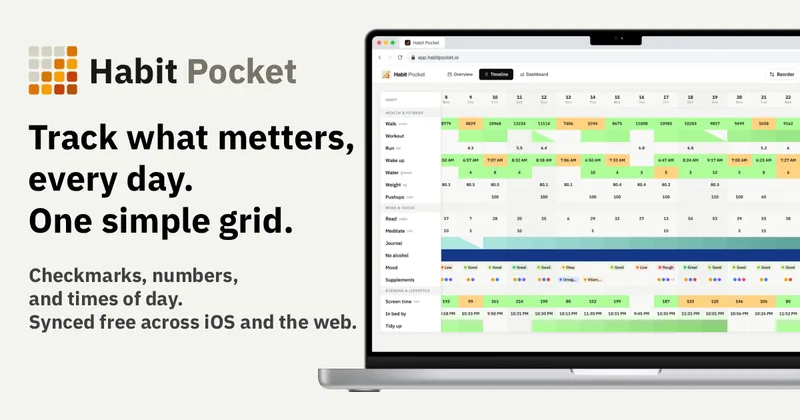
Habit Pocket is a multi-platform habit tracker that logs yes/no checks, numeric values, times, and categorical selections in a single grid, plus charts and AI integrations to reveal correlations between habits, sleep, mood, and energy.
Premium Alternatives
Writingmate
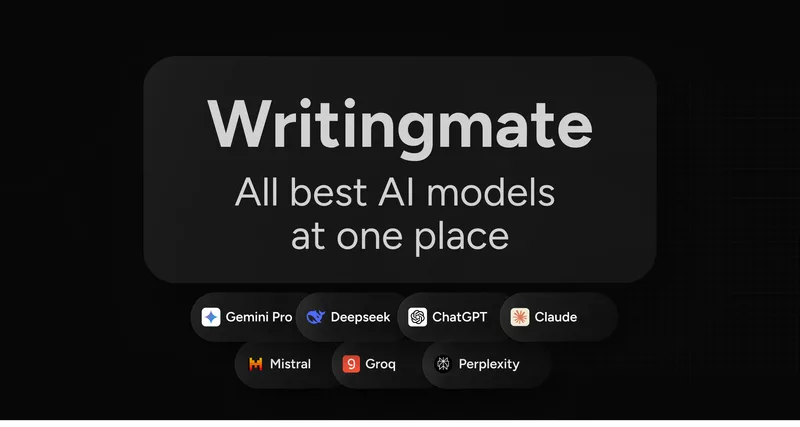
Writingmate is an all-in-one AI workspace that brings chat, files, web search, image and video generation, and 350+ third-party models (GPT, Claude, Gemini, Grok, Sora, Veo, etc.) into a single app designed for productivity, content, and team work.
gistreader
GistReader is a web-based read-it-later app that uses AI to summarize articles and remove distractions, supporting individual pages and RSS feeds while syncing content across devices.

AI Summarizer (summarizer.org)
AI Summarizer (summarizer.org) is a web-based AI-powered text summarization tool that shortens text while preserving main points, supporting text, DOCX, images and URLs, multiple output styles (paragraphs, bullet points), multiple languages, and optional premium features.

HigLabo Mail Agent
HigLabo Mail Agent is part of HigLabo, an AI-powered integrated workspace that organizes inboxes and automatically converts actionable emails into tasks to help teams and individuals reduce context switching and work more efficiently.