Tella
Tella is an all-in-one screen recorder and video editor that captures screen, camera, microphone and system audio on Mac, Windows or in the browser, and provides editing, AI-assisted cleanup, hosting, analytics, and team collaboration for sharing or exporting videos up to 4K.
Tella is video editing software teams evaluate for creative & design. Use this page to review pricing, integration signals, and the best alternatives before you commit.
Profile facts come from the vendor source. AiMatch labels unknown pricing or API details instead of estimating them.
Review official source →Used in These Packs
Quick Overview
Best for: Creative & Design
What it does
Video Editing software for decision-makers comparing workflow fit and alternatives.
Best fit
Creative & Design
Pricing snapshot
Paid from Every account starts with a 7-day free trial of the full Pro plan; paid plans start at $13 per month.
Next step
Compare Tella with similar tools before you shortlist it.
Compare this tool before you shortlist it
Review alternatives, pricing posture, and workflow fit side by side.
Tella is an all-in-one screen recording and video editing platform that lets users capture screen, camera, microphone and system audio from Mac, Windows or directly in the browser. It combines a recorder, a full editor (with transcript-based editing and dynamic layouts), AI editing tools for quick cleanup, studio-quality audio processing, instant rendering and sharing, plus hosting with viewer analytics and team collaboration. Tella targets creators, teams, and professionals who need to produce product demos, video messages, tutorials, long-form content and hosted videos with export options up to 4K.
Tella is an all-in-one screen recorder and AI-assisted video editor for recording, editing, subtitling, and sharing business videos. Tella is a AI Tool featured on Dang.ai. Learn more about Tella's AI tool.
Own this listing?
Claim this page for a one-time $29 to add pricing, features, screenshots, verified owner details, and a clearly labeled 30-day category position after the profile is live.
Claim this listing for $29Key Features
Multi-source Recording
Capture screen, camera, microphone and system audio; record in the browser or via native macOS/Windows apps and a Chrome extension.
Automatic Visual Enhancements
Recordings automatically get layouts, backgrounds, zoom effects and subtitles by default to make videos look great before editing.
AI Editing Tools
AI tools can clean up videos with a couple clicks (remove noise/echo, normalize voice) and speed common editing tasks.
Transcript-based Editing
Edit by text: delete mistakes, filler words, and silences from the transcript rather than using a complicated timeline.
Dynamic Layouts
Switch between side-by-side, picture-in-picture, full screen and other layouts without rebuilding the edit.
Instant Rendering & Sharing
Tella renders videos instantly so you can share via a link as soon as recording or editing is done.
High-quality Export
Export downloads in up to 4K and 60 FPS for publishing to platforms like YouTube, X, LinkedIn and Instagram.
Viewer Analytics
See who watched, how much they watched, and where attention dropped off in hosted videos.
Team Collaboration & Library
Invite teammates to edit, review, organize, and publish together in a shared workspace with a centralized video library.
Pricing
7-day free trial of the full Pro plan with no credit card required.
Pro (trial available)
Every account starts with a 7-day free trial of the full Pro plan; paid plans start at $13 per month.- Full Pro plan features during trial
- Paid plans starting at $13/month (exact plan details not listed on provided content)
Use Cases
Video Messages
Record and share short video messages for asynchronous communication, using instant rendering and link sharing.
Product Demos
Create product demos with multi-source recording, dynamic layouts, transcript edits and 4K export for marketing or sales.
Long-form Editing
Edit longer recordings (clips up to 6 hours) using transcript-based editing and timeline fine-tuning for tutorials or courses.
Video Hosting & Analytics
Host videos in Tella, track viewer engagement with analytics, and organize assets in a team library for reuse.
Content for Social & Publishing
Export high-resolution files for publishing to platforms such as YouTube, X, LinkedIn and Instagram.
Integrations
macOS & Windows apps
Native applications for desktop recording and editing.
Chrome extension
Browser extension to record directly from Chrome.
Export targets (YouTube, X, LinkedIn, Instagram)
Export in up to 4K and 60 FPS for publishing to major social and publishing platforms.
Benefits
Limitations
Frequently Asked Questions
What is Tella?
Can I record without downloading anything?
Can I record my screen and camera at the same time?
Is there a time limit on recordings?
Is Tella free?
How is Tella different from Loom?
Getting Started
- 1 Create an account on the Tella website (every account starts with a 7-day free trial of the full Pro plan).
- 2 Choose to record using the web recorder, native macOS/Windows app, or Chrome extension.
- 3 Edit your recording using the editor: apply layouts, use transcript-based edits, run AI cleanup, and fine-tune on the timeline.
- 4 Render and share instantly via a public link or export the video in up to 4K for publishing.
Support
docs
Help Center with guides and walkthroughs (linked in site navigation).
developers
Developer resources listed under 'Developers' in the site navigation.
contact
Contact option listed in site footer/navigation for direct inquiries.
community
Community and blog resources referenced in site navigation.
API
Compare Tella with similar tools
See how it stacks up against alternatives
Related Tools
View all 23 →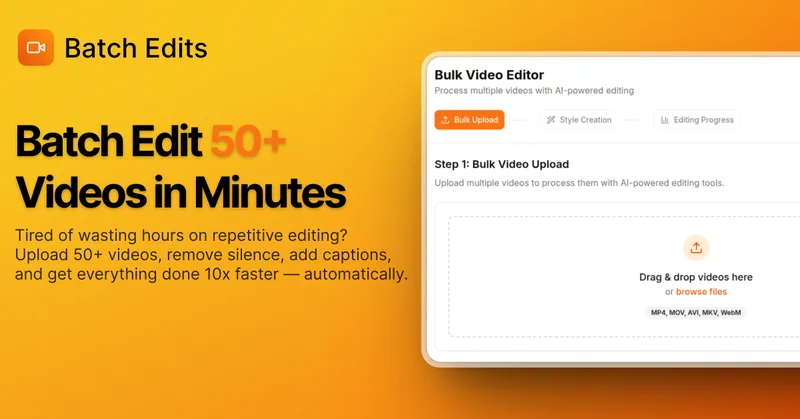
BatchEdits
BatchEdits is a web-based batch AI video editor for content creators that processes up to 50 videos simultaneously to remove silence, add auto-captions in 50+ languages, apply auto-zoom and crop for platform-specific formats, enabling high-volume creators to scale editing work.
Vidmoat
Vidmoat is an agent-first AI video editor that automates cutting, captions, color grading and multi-format export. Users type a prompt (or connect their own agent) and Vidmoat’s built-in AI or a connected MCP agent produces finished videos ready for TikTok, Reels, Shorts and YouTube.



Submagic
Submagic is an AI-powered video editing platform that automates short-form video creation — from auto-captions and one-click edits to magic clip extraction, scheduling, and team collaboration — aimed at creators, teams, and businesses that need to publish shorts at scale.

Budget-Friendly Alternatives
BatchEdits
BatchEdits is a web-based batch AI video editor for content creators that processes up to 50 videos simultaneously to remove silence, add auto-captions in 50+ languages, apply auto-zoom and crop for platform-specific formats, enabling high-volume creators to scale editing work.
Vidmoat
Vidmoat is an agent-first AI video editor that automates cutting, captions, color grading and multi-format export. Users type a prompt (or connect their own agent) and Vidmoat’s built-in AI or a connected MCP agent produces finished videos ready for TikTok, Reels, Shorts and YouTube.

Writepanda
PandaStudio (by Writepanda) is a local-first, agent-native video editor for macOS and Windows that records screen/camera/podcasts and uses on-device transcription and user-provided AI accounts to automate editing, captions, and publishing. It is sold as a one-time license with lifetime updates.

Choppity
Choppity is an AI-powered video editing platform that automatically turns long-form videos and podcasts into 20–50+ short social clips with automated transcription, captioning, framing, tracking, and one-click posting/scheduling for TikTok, Instagram Reels and YouTube Shorts.
reap: AI Video Editor
reap is an AI-first video editor that automates turning long videos, webinars, and interviews into clips, animated captions, dubbed audio, and translated subtitles across 100+ languages, with REST API, CLI, and MCP for automation and publishing.