Writepanda
PandaStudio (by Writepanda) is a local-first, agent-native video editor for macOS and Windows that records screen/camera/podcasts and uses on-device transcription and user-provided AI accounts to automate editing, captions, and publishing. It is sold as a one-time license with lifetime updates.
Writepanda is video editing software teams evaluate for video editing. Use this page to review pricing, integration signals, and the best alternatives before you commit.
Profile facts come from the vendor source. AiMatch labels unknown pricing or API details instead of estimating them.
Review official source →Used in These Packs
Quick Overview
Best for: Video Editing
What it does
Video Editing software for decision-makers comparing workflow fit and alternatives.
Best fit
Video Editing
Pricing snapshot
Freemium from $99 one-time
Next step
Compare Writepanda with similar tools before you shortlist it.
Compare this tool before you shortlist it
Review alternatives, pricing posture, and workflow fit side by side.
PandaStudio (Writepanda) is a local-first video studio for creators and teams that converts raw screen/camera/podcast footage into published videos. It combines local recording, on-device transcription, motion-graphics templates, captioning, color grading, and one-click publishing to YouTube and social formats. A built-in agent workflow runs on a user’s own AI account (ChatGPT, Claude, Gemini, Kimi, etc.) so automated editing, titles, captions, and thumbnails happen without additional AI fees from PandaStudio. The product ships as a downloadable macOS and Windows app with a trial of three free exports and one-time license pricing for lifetime updates.
PandaStudio (by Writepanda) is a local-first, agent-native video editor for macOS and Windows that records screen/camera/podcasts and uses on-device transcription and user-provided AI accounts to automate editing, captions, and publishing. It is sold as a one-time license with lifetime updates.
Own this listing?
Claim this page for a one-time $29 to add pricing, features, screenshots, verified owner details, and a clearly labeled 30-day category position after the profile is live.
Claim this listing for $29Key Features
Local recording (screen, camera, podcast)
Capture screen and webcam or record remote podcasts where every guest is saved locally in full quality; screen recordings come cursor-free and the editor draws a smooth scalable cursor.
Edit by transcript
Every recording is transcribed on-device; deleting text in the transcript re-cuts the video, enabling removal of filler words, repeats, and silences across the timeline without scrubbing.
Automated filler & silence removal
One-click removal of fillers like 'um' and 'uh', repeated words, false starts, and silences above a threshold.
Animated, brand-aware captions
Add animated, word-synced captions in a click with ten styles, brand colors, auto-timed speech sync, and captions burned into exports.
Motion graphics & templates
Drop in lower thirds, chapter cards, flowcharts, checklists, and use 13 motion-graphic templates, scene transitions, and packaged scene elements.
Color, reframe, and aspect exports
Color-grade with one-tap LUTs, auto-reframe to keep faces centered, arrange webcam layouts and backgrounds, and export to 16:9, 9:16, and 1:1.
AI-generated titles, descriptions, thumbnails
Generate titles, descriptions, chapter timestamps, and thumbnails that analyze the video using the user’s AI account.
Publish & export options
Export locally with custom settings (including GIF) or publish directly to YouTube with title, description, and thumbnail in one step; supports up to 4K export.
Agentic automation & CLI/MCP server
A real CLI and MCP server enable automation where third-party AIs (Claude, Cursor, Codex) can record, cut, caption, and publish using the AI subscription the user provides.
Local-first privacy
Recording, transcription, and editing run on the user's computer; remote guest tracks transfer peer-to-peer rather than through a cloud.
Pricing
Downloadable trial with 3 free exports (no card required).
Starter
$99 one-time- 1 device
- 1 workspace
- Screen & podcast recording
- AI transcription & editing
Creator
$199 one-time- Up to 3 devices
- Up to 3 workspaces
- All Starter features
- Priority support
Team
$499 one-time- 5 devices
- Unlimited workspaces
- All Creator features
- Priority support
Use Cases
YouTube creators and short-form publishers
Rapidly produce polished long-form and short-form videos (YouTube, Shorts, Reels, TikTok) with AI-assisted titles, chapters, and thumbnails.
Remote podcast recording
Record multi-person remote podcasts with each guest saved locally in full quality and edit via transcript.
Automated team workflows
Teams and studios can automate recording-to-publish pipelines via the CLI/MCP server and agentic editing driven by users' AI subscriptions.
Single-machine creators and studios
Individual creators and multi-device teams can capture, edit, and publish professionally without cloud uploads, paying a one-time license.
Integrations
ChatGPT / OpenAI
Use your ChatGPT account as the AI agent for generating titles, descriptions, captions, and edits.
Claude
Supports Claude as an AI agent for automated editing and generation using your account.
Gemini / Kimi
Can connect user-provided Gemini or Kimi accounts for agent workflows.
Cursor / Codex
Works with Cursor and Codex via CLI/MCP server for automated recording, cutting, captioning, and publishing.
YouTube
One-click publishing to YouTube with title, description, thumbnail, and export upload.
Benefits
Limitations
Frequently Asked Questions
Is it really a one-time purchase?
Can I get a refund if I don't like it?
How is PandaStudio different from other screen recorders?
Does my footage leave my machine?
Can I record my screen, camera, and audio together?
Can I export in 4K?
Which AI do I need?
Mac and Windows?
What are the system requirements?
Do you have an affiliate program?
Getting Started
- 1 Download the app for macOS or Windows from the website (no card required).
- 2 Try the app with 3 free exports to evaluate features and workflow.
- 3 Connect your own AI account (ChatGPT, Claude, Gemini, Kimi, etc.) for agentic editing and generation.
- 4 If satisfied, purchase the one-time license that unlocks unlimited exports and lifetime updates.
- 5 Install and configure recording settings, templates, and publishing credentials (e.g., YouTube) as needed.
Support
Support and affiliate setup via [email protected]; refunds processed by emailing the same address.
docs
How-to docs, guides, tutorials, and changelog available on the PandaStudio / Writepanda website (Releases, Blog, Docs links).
downloads
Direct download links for macOS (Apple Silicon and Intel) and Windows builds from the site.
API
Compare Writepanda with similar tools
See how it stacks up against alternatives
Related Tools
View all 23 →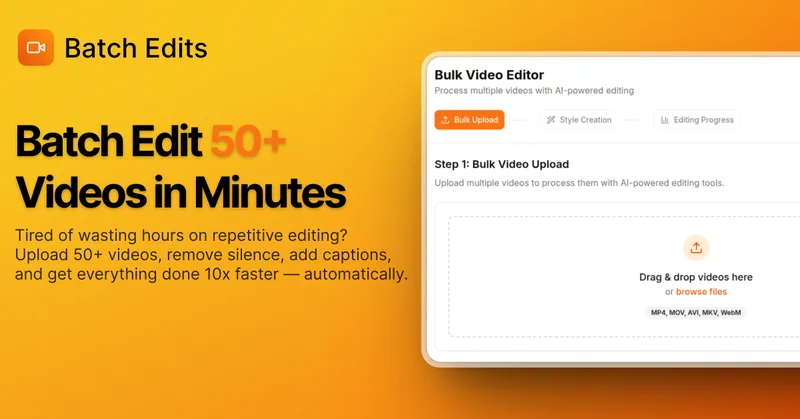
BatchEdits
BatchEdits is a web-based batch AI video editor for content creators that processes up to 50 videos simultaneously to remove silence, add auto-captions in 50+ languages, apply auto-zoom and crop for platform-specific formats, enabling high-volume creators to scale editing work.
Vidmoat
Vidmoat is an agent-first AI video editor that automates cutting, captions, color grading and multi-format export. Users type a prompt (or connect their own agent) and Vidmoat’s built-in AI or a connected MCP agent produces finished videos ready for TikTok, Reels, Shorts and YouTube.

Submagic
Submagic is an AI-powered video editing platform that automates short-form video creation — from auto-captions and one-click edits to magic clip extraction, scheduling, and team collaboration — aimed at creators, teams, and businesses that need to publish shorts at scale.

Choppity
Choppity is an AI-powered video editing platform that automatically turns long-form videos and podcasts into 20–50+ short social clips with automated transcription, captioning, framing, tracking, and one-click posting/scheduling for TikTok, Instagram Reels and YouTube Shorts.

Vizard
Vizard is an AI-first video editing and clipping platform that automatically converts long-form videos into social-ready short clips (TikTok, Instagram Reels, YouTube Shorts) and provides an editor, team workspace, and automation to scale content production for creators, marketers, coaches and agencies.

Premium Alternatives
Tella
Tella is an all-in-one screen recorder and video editor that captures screen, camera, microphone and system audio on Mac, Windows or in the browser, and provides editing, AI-assisted cleanup, hosting, analytics, and team collaboration for sharing or exporting videos up to 4K.
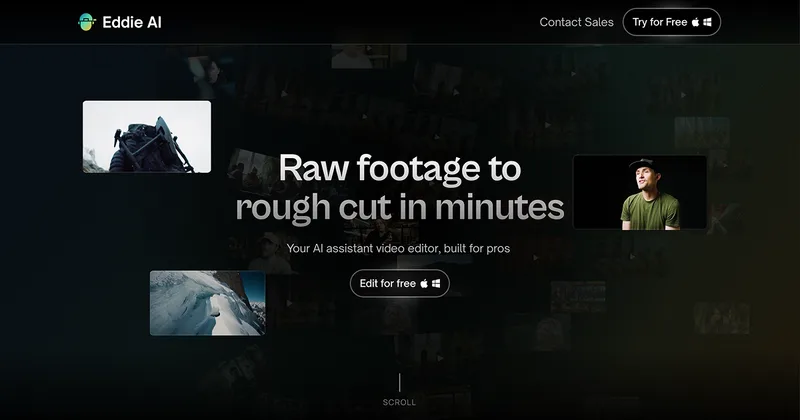
Eddie AI
Eddie AI is an AI assistant video editor that turns raw footage into structured rough cuts from plain-language instructions. It also handles tasks such as footage logging, multicam editing, color grading, captions, and music, with exports to professional NLEs.