

TriageBox
TriageBox AI Gmail Checker is a Chrome extension and native Android app that turns a Gmail inbox into a prioritized triage queue — archive, snooze, unsubscribe, sweep senders with exact counts, and optionally generate AI summaries using keys you supply. Data processing runs in the user’s browser; no developer-operated backend.
TriageBox is productivity software teams evaluate for productivity. Use this page to review pricing, integration signals, and the best alternatives before you commit.
Profile facts come from the vendor source. AiMatch labels unknown pricing or API details instead of estimating them.
Review official source →Used in These Packs
Quick Overview
Best for: Productivity
What it does
Productivity software for decision-makers comparing workflow fit and alternatives.
Best fit
Productivity
Pricing snapshot
Free from Free to install, no subscription
Next step
Compare TriageBox with similar tools before you shortlist it.
Compare this tool before you shortlist it
Review alternatives, pricing posture, and workflow fit side by side.
TriageBox AI Gmail Checker is a browser extension (Chrome) and native Android app that provides a focused triage workflow for a single Google account. It surfaces newest mail in a queue, lets you archive, snooze, label, unsubscribe and sweep senders with an exact count before moving messages, and optionally offers AI summaries and scoring when you supply external model keys (Gemini/xAI). The product emphasizes privacy: processing runs in the user’s browser or on-device caches, no developer-operated backend, no TriageBox account is required, and data stays in the user’s device.
The tool is aimed at individuals who want a one-focused view for mail, calendar and tasks, to reduce inbox noise and act quickly without opening Gmail. AI features are optional and require keys you create and provide; core triage, bulk actions, phishing checks (using Gmail signals) and calendar agenda actions work without an AI key.
Clear Gmail without living in Gmail. TriageBox turns your inbox into a short queue: one-click archive/snooze/label, bulk sweeps, unsubscribe, phishing alerts. No TriageBox server. AI optional.
Own this listing?
Claim this page for a one-time $29 to add pricing, features, screenshots, verified owner details, and a clearly labeled 30-day category position after the profile is live.
Claim this listing for $29Key Features
One-click triage actions
Archive, snooze, label, trash, mark read/unread and reply from the extension popup or Android app without opening Gmail.
Newest-first queue with keep-unread
Newest mail stays on top after scoring; peek a thread without clearing Unread and keep unread while acting on messages.
Bulk sweep with exact count
Sweep a whole sender and show an exact count of messages before any archival or deletion occurs.
Optional AI summaries and scores
Summaries and relevance/safety scores generated only when the user supplies a Gemini and/or xAI key and triggers the feature.
Gmail phishing checks without an API key
Scam checks that use Gmail’s SPF/DKIM/DMARC verdict plus reply-path and attachment signals; works without an external API key.
Waiting-for-reply list
Shows sent threads where you wrote last and nobody answered for 2+ days (not Gmail Nudges).
Copy sign-in codes
Copy a Gmail verification code from the card when the subject contains exactly one code.
Summarize PDF attachments
Summarize a PDF attached to Gmail on the card using a user-supplied AI key (requires the key).
Native Android app features
Android app offers folder tabs with live counts, DeepSeek prepared summaries, snooze that wakes on reply, one-swipe archive, quick reply, encrypted on-device caches per account, and a 24-hour undo on every action.
Privacy-first design
No developer-operated backend; processing runs in the user’s browser and Gmail data is not sent to the publisher.
Pricing
Free to install on the Chrome Web Store; no subscription and no TriageBox account.
Free
Free to install, no subscription- Core triage features (archive, snooze, unsubscribe, bulk sweep)
- Gmail phishing checks that use Gmail signals
- No TriageBox account required; data stays in your browser
Use Cases
Fast inbox triage
Turn an overflowing inbox into a queue and quickly archive, snooze or label messages without opening Gmail.
Bulk unsubscribe and cleanup
Bulk unsubscribe per exact sender and sweep leftover messages with an exact count shown before any deletion or archive.
Identify potential phishing
Check messages for phishing risk using Gmail’s verification signals without supplying an external API key.
Track waiting replies
See sent threads where you’re waiting for a reply (2+ days) to follow up efficiently.
On-demand AI summaries
Generate concise summaries or PDF attachment summaries using your own Gemini/xAI key when you want AI assistance.
Mobile triage
Perform the same triage workflow on Android with prepared summaries, swipe actions, and encrypted on-device caches.
Integrations
Gmail
Accesses the signed-in user’s Gmail (via OAuth) to view and act on mail threads and attachments.
Google Calendar
Optional calendar agenda view and event actions using Google Calendar scopes you approve.
Gemini / xAI (user-supplied keys)
Optional AI model keys supplied by the user to generate summaries and scores on demand.
Grok
Android app can hand an email to your Grok assistant in one tap (integration noted in Android feature list).
Benefits
Limitations
Frequently Asked Questions
Is it free?
Does mail go through a TriageBox server?
Do I need an AI key?
Will it replace Checker Plus for Gmail?
How does sign-in work?
Getting Started
- 1 Step 1: Install the TriageBox extension from the Chrome Web Store (Free to install; no account required).
- 2 Step 2: Sign in with your Google account and grant OAuth permissions on the Google consent screen to allow Gmail (and optionally Calendar) access.
- 3 Step 3 (optional): If you want AI summaries or scores, create a Gemini and/or xAI key in your AI provider account and enter it into the extension; on Android install the APK to enable the native app features.
Support
Publisher contact: Paul Faisant · [email protected]
docs
In-extension Docs → Changelog and the public changelog linked from the homepage for release notes and engineering details.
privacy/terms
Privacy Policy and Terms of Service linked from the homepage (https://triagebox.pfa87.cc/privacy.html, https://triagebox.pfa87.cc/terms.html).
API
Compare TriageBox with similar tools
See how it stacks up against alternatives
Related Tools
View all 132 →
Windrunner
Windrunner is an AI-powered project collaboration and work management platform that combines work items, decisions, blockers, evidence, and progress into a single shared workspace to help teams coordinate work and review AI-proposed updates.


threadfork
threadfork is a macOS native, on-device AI notetaker that records, transcribes, and organizes meetings locally on Apple Silicon — generating summaries, threads (commitments/decisions), entities, and semantic search without sending audio to the cloud.

Afterlid, guarded lid closed work for macOS
Afterlid is a native macOS menu‑bar app that keeps downloads, renders, backups, dev servers, remote access, and local AI agents running after you close the lid by offering guarded modes (Sleepy, Awake, Always On) with built‑in battery, thermal, heartbeat, and time limits.

CardGo
CardGo is a Chrome extension and context-management product that stores small, reusable, end-to-end encrypted AI context “cards” you attach to chats (ChatGPT, Claude, Gemini, Perplexity, Grok) so multiple AI tools can access the right user context without sharing your full profile.
Habit Pocket
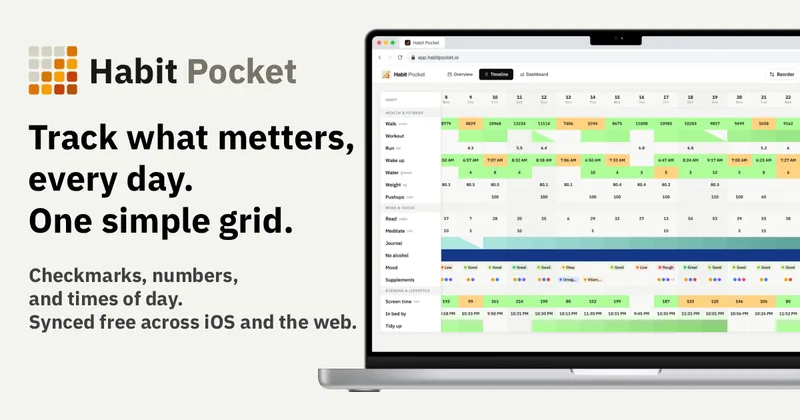
Habit Pocket is a multi-platform habit tracker that logs yes/no checks, numeric values, times, and categorical selections in a single grid, plus charts and AI integrations to reveal correlations between habits, sleep, mood, and energy.
Premium Alternatives
gistreader
GistReader is a web-based read-it-later app that uses AI to summarize articles and remove distractions, supporting individual pages and RSS feeds while syncing content across devices.

Inbox Zero
Inbox Zero is an AI email assistant that organizes and labels inbox messages, drafts replies in the user's voice, and helps manage email from web, mobile, Slack, or Telegram. It works alongside Gmail or Outlook rather than replacing the email client.

AI Summarizer (summarizer.org)
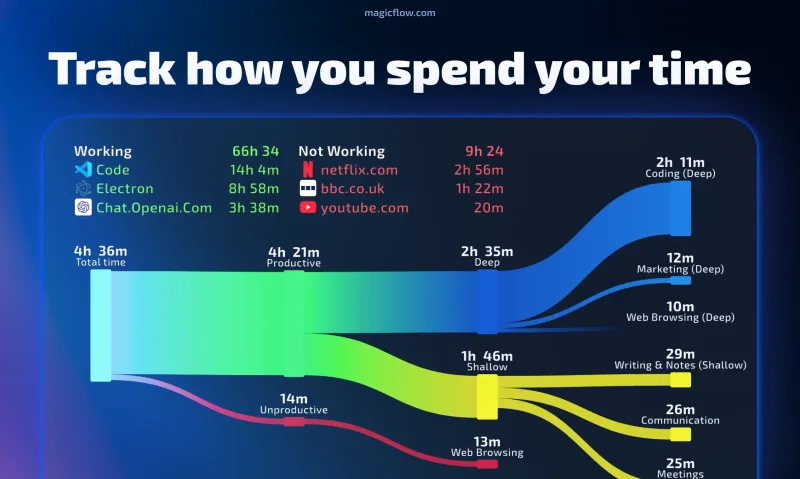
AI Summarizer (summarizer.org) is a web-based AI-powered text summarization tool that shortens text while preserving main points, supporting text, DOCX, images and URLs, multiple output styles (paragraphs, bullet points), multiple languages, and optional premium features.
Writingmate
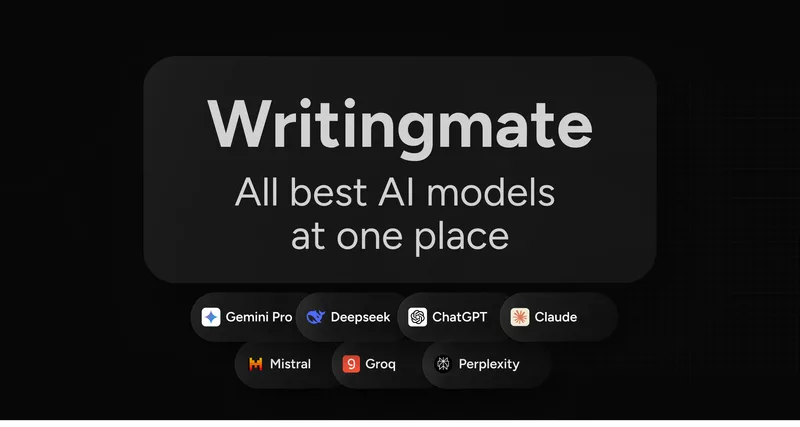
Writingmate is an all-in-one AI workspace that brings chat, files, web search, image and video generation, and 350+ third-party models (GPT, Claude, Gemini, Grok, Sora, Veo, etc.) into a single app designed for productivity, content, and team work.

HigLabo Mail Agent
HigLabo Mail Agent is part of HigLabo, an AI-powered integrated workspace that organizes inboxes and automatically converts actionable emails into tasks to help teams and individuals reduce context switching and work more efficiently.