
Zivy
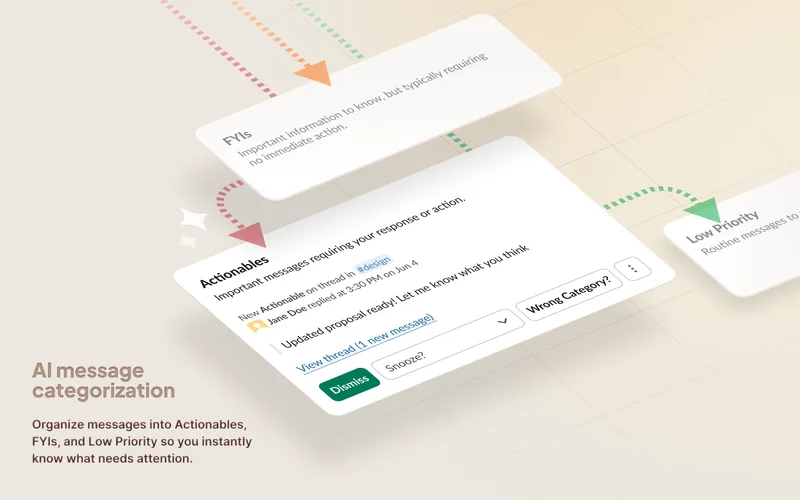
Zivy is an AI-powered Slack assistant that organizes Slack conversations into prioritized actionables, provides thread summaries, automatic follow-ups, and drafts replies to reduce notification noise and help managers focus on important work.
Zivy is productivity software teams evaluate for productivity. Use this page to review pricing, integration signals, and the best alternatives before you commit.
Profile facts come from the vendor source. AiMatch labels unknown pricing or API details instead of estimating them.
Review official source →Used in These Packs
Quick Overview
Best for: Productivity
What it does
Productivity software for decision-makers comparing workflow fit and alternatives.
Best fit
Productivity
Pricing snapshot
Contact for pricing
Next step
Compare Zivy with similar tools before you shortlist it.
Compare this tool before you shortlist it
Review alternatives, pricing posture, and workflow fit side by side.
Zivy is an AI-driven assistant that connects to your Slack workspace to surface critical messages, turn message overload into prioritized actionables, and automate routine follow-ups. It is positioned as a productivity tool for managers and enterprise teams, claiming to save users hours per week by filtering Slack noise into clear categories (needs your input, good to know, everything else) and by identifying actionable items with AI. The product offers a Slackbot to bring notifications and summaries into channels, an interactive demo for onboarding, and a 30-day money-back guarantee.
Zivy is an AI-powered Slack assistant that organizes Slack conversations into prioritized actionables, provides thread summaries, automatic follow-ups, and drafts replies to reduce notification noise and help managers focus on important work.
Own this listing?
Claim this page for a one-time $29 to add pricing, features, screenshots, verified owner details, and a clearly labeled 30-day category position after the profile is live.
Claim this listing for $29Key Features
Noise Filter
Sorts Slack conversations into three piles — needs your input, good to know, and everything else — to reduce noise and help users focus on important messages.
Automatic Follow-ups
Remembers outstanding requests and nudges recipients for updates so important asks don't get lost in Slack threads.
AI Thread Summary (Thread TL;DR)
Generates concise summaries of lengthy threads so users can understand what happened without scrolling through the entire conversation.
Instant Replies / Drafted Responses
AI can read full conversations and draft routine responses in the user's voice for one-click sending, speeding up reply times.
One-click Scheduling / Google Calendar Integration
Send important tasks or reminders straight to your Google calendar with one click to avoid relying on memory.
Personalized AI Filters
Allows users to tailor their feed to role and context by telling Zivy what matters, so the system surfaces messages and tasks most relevant to the user.
Slackbot Integration
A Slackbot brings Zivy insights—quick actions, urgent notifications, and daily summaries—directly into Slack channels.
Keyboard Shortcuts / Fast Navigation
Provides thoughtful shortcuts for rapid navigation and processing of the Zivy inbox without needing a mouse.
Pricing
Current pricing details are not available from the vendor source.
Use Cases
Manager & Team Leads
Managers use Zivy to prioritize actionables, track unreads and requests across many channels, and reduce time spent triaging Slack.
Product & Engineering Leads at Enterprise Scale
Helps leaders managing multiple product streams stay on top of critical communications by filtering noise and organizing conversations into actionable items.
Cross-functional Teams (e.g., Data Science)
Teams with multiple business units use Zivy to declutter daily workflows, prioritize what matters, and improve focus and productivity.
Routine Communication Automation
Automates follow-ups and drafts routine replies to speed response times and reduce manual overhead on recurring requests.
Integrations
Slack
Primary integration: Zivy connects to Slack via OAuth2 and uses Slack's official APIs to access workspace data and deliver the Slackbot experience.
Google (Calendar / Account)
Integrates with Google account for one-click scheduling (send tasks to Google Calendar) and uses OAuth2 for secure access.
Benefits
Limitations
No verified limitations are available.
Frequently Asked Questions
No verified FAQs are available.
Getting Started
- 1 Connect Zivy to your Slack workspace using the integration.
- 2 Complete the interactive demo to configure and personalize filters.
- 3 Let Zivy organize your conversations and surface actionables; optionally use the Slackbot for in-channel summaries.
Support
Slack community
Closed beta community / Slack community for early access, feedback, and peer support (join after sign-up).
Professional services
Custom solutions, free Slack assessments, and 1:1 setup calls to tailor Zivy to an organization's workflow.
Premium support
Premium support offerings including 1:1 setup calls and priority assistance as advertised on the site.
Contact (support)
A 'Contact Us' support entry is listed on the site for further questions (no direct email provided in the supplied content).
API
Compare Zivy with similar tools
See how it stacks up against alternatives
Related Tools
View all 113 →
Windrunner
Windrunner is an AI-powered project collaboration and work management platform that combines work items, decisions, blockers, evidence, and progress into a single shared workspace to help teams coordinate work and review AI-proposed updates.


threadfork
threadfork is a macOS native, on-device AI notetaker that records, transcribes, and organizes meetings locally on Apple Silicon — generating summaries, threads (commitments/decisions), entities, and semantic search without sending audio to the cloud.

Afterlid, guarded lid closed work for macOS
Afterlid is a native macOS menu‑bar app that keeps downloads, renders, backups, dev servers, remote access, and local AI agents running after you close the lid by offering guarded modes (Sleepy, Awake, Always On) with built‑in battery, thermal, heartbeat, and time limits.
CardGo
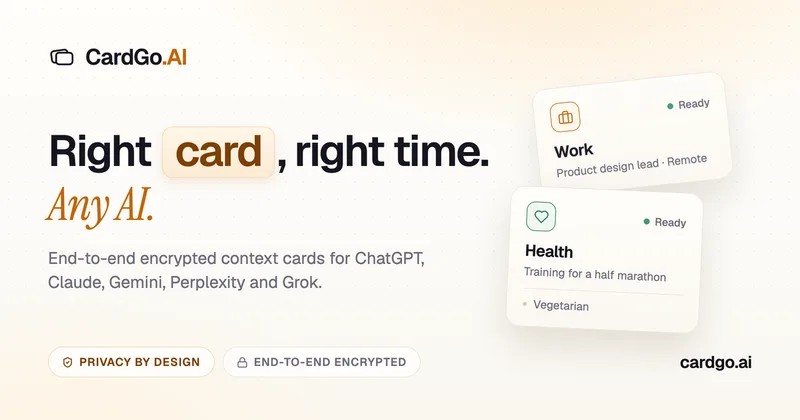
CardGo is a Chrome extension and context-management product that stores small, reusable, end-to-end encrypted AI context “cards” you attach to chats (ChatGPT, Claude, Gemini, Perplexity, Grok) so multiple AI tools can access the right user context without sharing your full profile.
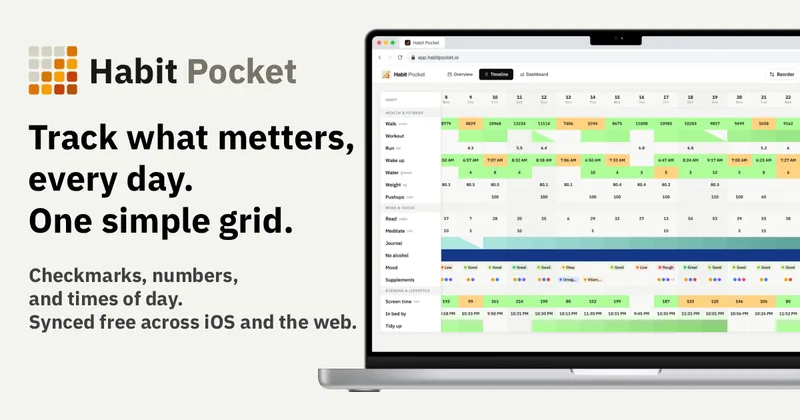
Habit Pocket
Habit Pocket is a multi-platform habit tracker that logs yes/no checks, numeric values, times, and categorical selections in a single grid, plus charts and AI integrations to reveal correlations between habits, sleep, mood, and energy.
Premium Alternatives
Writingmate
Writingmate is an all-in-one AI workspace that brings chat, files, web search, image and video generation, and 350+ third-party models (GPT, Claude, Gemini, Grok, Sora, Veo, etc.) into a single app designed for productivity, content, and team work.

Inbox Zero
Inbox Zero is an AI email assistant that organizes and labels inbox messages, drafts replies in the user's voice, and helps manage email from web, mobile, Slack, or Telegram. It works alongside Gmail or Outlook rather than replacing the email client.
gistreader
GistReader is a web-based read-it-later app that uses AI to summarize articles and remove distractions, supporting individual pages and RSS feeds while syncing content across devices.

AI Summarizer (summarizer.org)
AI Summarizer (summarizer.org) is a web-based AI-powered text summarization tool that shortens text while preserving main points, supporting text, DOCX, images and URLs, multiple output styles (paragraphs, bullet points), multiple languages, and optional premium features.

HigLabo Mail Agent
HigLabo Mail Agent is part of HigLabo, an AI-powered integrated workspace that organizes inboxes and automatically converts actionable emails into tasks to help teams and individuals reduce context switching and work more efficiently.