

perfect-wiki
Perfect Wiki is an AI-powered knowledge base built for Microsoft Teams that stores, manages and surfaces SOPs, manuals, FAQs and other internal documents, enabling teams to ask questions and receive cited answers directly inside Teams.
perfect-wiki is productivity software teams evaluate for productivity. Use this page to review pricing, integration signals, and the best alternatives before you commit.
Profile facts come from the vendor source. AiMatch labels unknown pricing or API details instead of estimating them.
Review official source →Used in These Packs
Quick Overview
Best for: Productivity
What it does
Productivity software for decision-makers comparing workflow fit and alternatives.
Best fit
Productivity
Pricing snapshot
Freemium from $12 / editor / month (billed yearly)
Next step
Compare perfect-wiki with similar tools before you shortlist it.
Compare this tool before you shortlist it
Review alternatives, pricing posture, and workflow fit side by side.
Perfect Wiki is an AI knowledge base designed to live inside Microsoft Teams so organizations can store, manage and keep SOPs, manuals, FAQs and how-to guides up to date. It installs as a Teams tab (channel or personal tab) and connects to existing content sources such as SharePoint and OneDrive. The product indexes connected documents and provides AI-powered answers with cited sources, scoped to internal documents only, in 28+ languages. It targets teams and organizations seeking a single source of truth for operational knowledge and supports enterprise requirements such as SSO, data residency and backups.
AI-powered help center integrated with Microsoft Teams for knowledge management and support.
Own this listing?
Claim this page for a one-time $29 to add pricing, features, screenshots, verified owner details, and a clearly labeled 30-day category position after the profile is live.
Claim this listing for $29Key Features
Teams tab integration
Installs as a tab in any Teams channel or as a personal tab so teams can access the knowledge base without leaving Teams.
SharePoint / OneDrive connector
One-click folder picker to connect a SharePoint or OneDrive folder; nightly sync and indexing of Word, PDF, Excel, PPT, HTML, CSV and ZIP files.
AI answers with citations
AI reads connected content and returns answers in natural language with source citations; answers are scoped to internal docs only (no web sources).
Multilingual support
Supports answers in 28+ languages (example: ask in German, receive replies in German).
Save chat to wiki
One-click 'Save to Perfect Wiki' on chat messages converts solved chat answers into searchable, citable wiki pages.
Knowledge-gap reporting
Weekly AI-generated reports showing unanswered queries, top searches and popular pages to help prioritize content creation.
Security & compliance features
Encrypted at rest and in transit, tenant-isolated customer data on Google Cloud, EU & US data residency, GDPR-compliant, Microsoft SSO and role-based permissions.
Backups & exports
60-day rolling backups and the ability to export content to HTML or PDF; enterprise scheduled exports supported.
Browser & platform integrations
Edge and Chrome extensions, Copilot and ChatGPT integrations, Power Automate connector and embeddable chat widget for SharePoint pages.
Pricing
14-day free trial (no credit card). Additionally, readers (people who only read and ask the AI) do not count toward billing; you pay only for editors.
Most popular — Annual (billed yearly)
$12 / editor / month (billed yearly)- Unlimited readers
- Unlimited knowledge bases & channels
- 100 AI requests / editor / month (pooled)
- Connect 100 SharePoint files / editor
Monthly
$24 / editor / month- Same feature set as annual plan billed monthly
3-year contract
$9 / editor / month (3-year contract)- Long-term contract discounted rate
Use Cases
Centralize SOPs and manuals
Store and manage standard operating procedures, manuals and training documentation in a single, searchable knowledge base so teams can find authoritative answers quickly.
Support onboarding
Make onboarding faster by providing new hires with a single place for process documentation and AI-assisted answers to common questions.
Reduce SME interruptions
Let the AI answer routine questions from internal documents so subject-matter experts are interrupted less frequently.
Contact center and support
Provide agents with quick access to verified answers pulled from internal docs and capture best responses from chats into the wiki.
Legal & compliance first-line triage
Offer a central place for employees to ask first-line legal or IP questions before escalating to attorneys.
Integrations
Microsoft Teams
Installs as a channel or personal tab so teams can access and ask the wiki from inside Teams.
SharePoint / OneDrive
Connect and index folders and files (Word, PDF, Excel, PPT, HTML, CSV, ZIP) for AI search and citation.
Copilot
Works inside Copilot to provide answers sourced from your knowledge base.
ChatGPT
Listed as an integration option for workflows that include ChatGPT.
Claude
Supported as an integration option alongside other LLM providers.
Slack & Mattermost
Integrations to enable asking the wiki and surfacing answers in other chat platforms.
Edge & Chrome extensions
Browser extensions to surface Perfect Wiki functionality outside of Teams.
Power Automate
Connector to automate workflows involving the knowledge base.
Salesforce
Integration listed for embedding the knowledge base into CRM workflows.
Benefits
Limitations
Frequently Asked Questions
No verified FAQs are available.
Getting Started
- 1 Step 1: Book a call or start a 14-day free trial (no credit card required).
- 2 Step 2: Install Perfect Wiki as a Teams channel tab or personal tab.
- 3 Step 3: Connect a SharePoint or OneDrive folder with the one-click folder picker and allow the nightly sync to index documents.
- 4 Step 4: Use the Ask Perfect Wiki command or tag @PerfectWiki in a channel to ask questions; save useful chat answers to the wiki with one click.
- 5 Step 5: Take the 30-minute onboarding call if desired and customize roles/permissions (reader/editor/admin).
Support
Book a call
Schedule a demo or sales call via the 'Book a call' action on the site.
Onboarding call
30-minute onboarding call provided when starting a trial or purchase.
Help center / Docs
Help Center and blog resources available from the website for self-service guidance.
Status
Service status page available from the site footer for incident visibility.
API
Compare perfect-wiki with similar tools
See how it stacks up against alternatives
Related Tools
View all 132 →
Windrunner
Windrunner is an AI-powered project collaboration and work management platform that combines work items, decisions, blockers, evidence, and progress into a single shared workspace to help teams coordinate work and review AI-proposed updates.

threadfork
threadfork is a macOS native, on-device AI notetaker that records, transcribes, and organizes meetings locally on Apple Silicon — generating summaries, threads (commitments/decisions), entities, and semantic search without sending audio to the cloud.


Afterlid, guarded lid closed work for macOS
Afterlid is a native macOS menu‑bar app that keeps downloads, renders, backups, dev servers, remote access, and local AI agents running after you close the lid by offering guarded modes (Sleepy, Awake, Always On) with built‑in battery, thermal, heartbeat, and time limits.

CardGo
CardGo is a Chrome extension and context-management product that stores small, reusable, end-to-end encrypted AI context “cards” you attach to chats (ChatGPT, Claude, Gemini, Perplexity, Grok) so multiple AI tools can access the right user context without sharing your full profile.
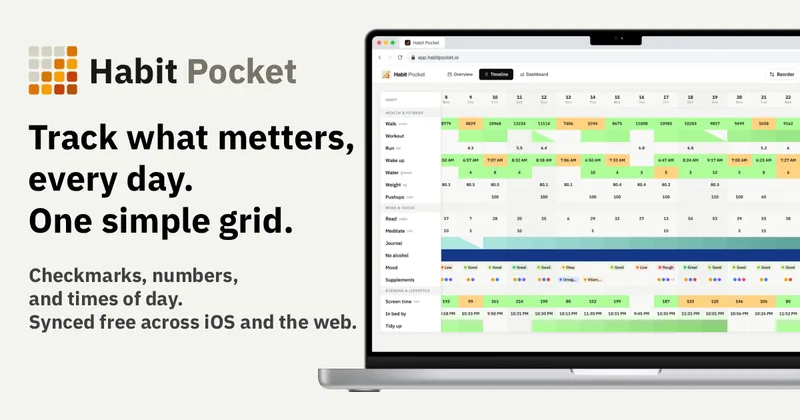
Habit Pocket
Habit Pocket is a multi-platform habit tracker that logs yes/no checks, numeric values, times, and categorical selections in a single grid, plus charts and AI integrations to reveal correlations between habits, sleep, mood, and energy.
Premium Alternatives
Writingmate
Writingmate is an all-in-one AI workspace that brings chat, files, web search, image and video generation, and 350+ third-party models (GPT, Claude, Gemini, Grok, Sora, Veo, etc.) into a single app designed for productivity, content, and team work.

AI Summarizer (summarizer.org)
AI Summarizer (summarizer.org) is a web-based AI-powered text summarization tool that shortens text while preserving main points, supporting text, DOCX, images and URLs, multiple output styles (paragraphs, bullet points), multiple languages, and optional premium features.
gistreader
GistReader is a web-based read-it-later app that uses AI to summarize articles and remove distractions, supporting individual pages and RSS feeds while syncing content across devices.

Inbox Zero
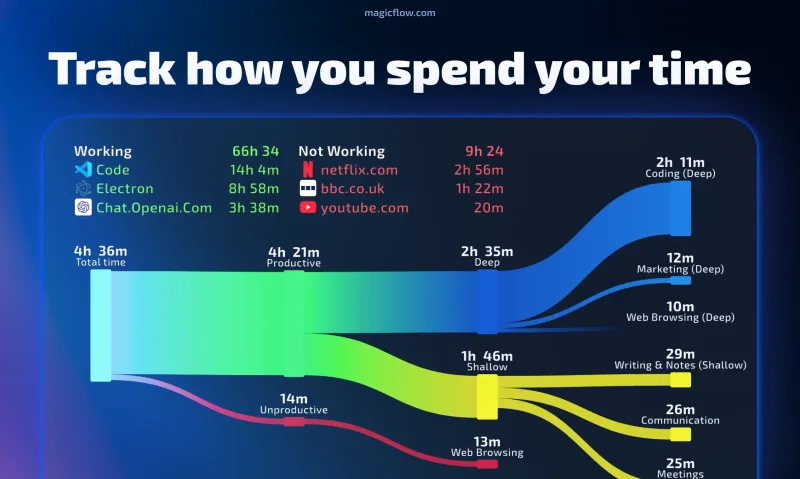
Inbox Zero is an AI email assistant that organizes and labels inbox messages, drafts replies in the user's voice, and helps manage email from web, mobile, Slack, or Telegram. It works alongside Gmail or Outlook rather than replacing the email client.

HigLabo Mail Agent
HigLabo Mail Agent is part of HigLabo, an AI-powered integrated workspace that organizes inboxes and automatically converts actionable emails into tasks to help teams and individuals reduce context switching and work more efficiently.