Arsaze
Arsaze is a multi-track video editor that combines a traditional NLE with integrated AI agent control and on-timeline AI generation for video, image, and audio — designed for human editors and AI agents (Claude, ChatGPT, Grok).
Arsaze is ai tools software teams evaluate for video editing. Use this page to review pricing, integration signals, and the best alternatives before you commit.
Profile facts come from the vendor source. AiMatch labels unknown pricing or API details instead of estimating them.
Review official source →Used in These Packs
Quick Overview
Best for: Video Editing
What it does
AI Tools software for decision-makers comparing workflow fit and alternatives.
Best fit
Video Editing
Pricing snapshot
Freemium from Free
Next step
Compare Arsaze with similar tools before you shortlist it.
Compare this tool before you shortlist it
Review alternatives, pricing posture, and workflow fit side by side.
Arsaze is a multi-track non-linear editor that blends manual editing with AI-driven automation. It exposes a single timeline usable by humans and AI agents (Claude, ChatGPT, Grok) so agents can perform edits directly on the timeline or operators can work entirely by hand. The product includes transcription-driven text editing, node-based generation (Playground), a full grading stack, frame-accurate client review, and a dual-render architecture combining a real-time NLE and code-to-video rendering.
Arsaze targets video editors, post-production teams, and workflows that want to incorporate agent-driven automation — enabling tasks like transcript-based cuts, AI b-roll and voice generation, color grading, and export to MP4 or FCPXML for further finishing in DaVinci Resolve or Premiere Pro.
Let Claude, ChatGPT or Gemini edit your real timeline Discussion | Link
Own this listing?
Claim this page for a one-time $29 to add pricing, features, screenshots, verified owner details, and a clearly labeled 30-day category position after the profile is live.
Claim this listing for $29Key Features
Rewrite (text-based editing)
Every clip is transcribed word by word so you can edit video like a document: delete sentences to cut video, find retakes, strip filler words and shorten pauses while the timeline follows the transcript.
Playground (node editor for generation)
A node-based editor to chain prompts, AI image and video models into reusable graphs and drop generated assets straight onto the timeline.
Color grading stack
Non-destructive per-shot grading with keyer, shot match, wheels, curves, HSL qualifiers, film-stock LUTs and support for importing .cube files.
Remarker (frame-accurate review)
Shareable review links where clients pin comments to exact frames and versions, reply in threads, rate scenes, and have agent-readable feedback.
Dual render engines
Engine 1: real-time multi-track timeline with unlimited tracks, trims, keyframes and live preview. Engine 2: code-to-video rendering for motion graphics and animated scenes written as code.
Integrated AI generation
AI video, image and audio generation (models listed on the site) that lands generated clips directly on the timeline and uses a single credit balance on paid plans.
Audio tools
Voice generation, music and SFX generation, voice isolation, noise reduction, loudness normalization and automatic ducking under speech.
Version history
Automatic versioning of every edit with branching and the ability to compare and revert to earlier cuts.
Export options
Cloud MP4 exports, free local exports on Windows, and FCPXML export for DaVinci Resolve and Premiere Pro.
Auto captions
Word-timed captions that are editable like any other clip and reusable across a project.
Pricing
Free plan with 50 welcome AI credits for audio analysis (transcripts, captions and silence detection).
Free
Free- 50 welcome AI credits for audio analysis (transcripts, captions, silence detection)
- No credit card required
- Free local exports on Windows
Paid plans
Paid plans (details on pricing page)- AI generation (video, image, voice and music)
- Built-in AI assistant
- Monthly AI credits and cloud export hours
- Credit top-ups that never expire
Use Cases
AI-assisted editing
Hand tasks to an AI agent (via Claude, ChatGPT, or Grok) to cut silences, add b-roll, grade shots, or perform other timeline edits while preserving manual control.
Collaborative client review
Share review links where clients pin frame-accurate comments and rate scenes; feedback can be read and acted on by connected agents.
Motion graphics as code
Create animated title cards and scenes written as code that render frame-perfect onto the timeline alongside conventional clips.
On-timeline asset generation
Generate b-roll, thumbnails, voiceovers, music and SFX directly onto the timeline without downloading and re-importing assets.
Interoperable finishing
Export edits as FCPXML to continue finishing in DaVinci Resolve or Premiere Pro.
Integrations
Claude
Connect Arsaze as a custom connector to let Claude control the timeline over MCP.
ChatGPT
Connect ChatGPT as a custom connector to have the agent perform timeline edits and generation.
Grok
Grok is supported as an agent via MCP for live agent-driven edits.
FCPXML (DaVinci Resolve / Premiere Pro)
Export an FCPXML project that opens in DaVinci Resolve and Premiere Pro with cuts, transitions and captions intact.
Windows app
Downloadable Windows application that supports free local exports.
Benefits
Limitations
Frequently Asked Questions
Do I have to use an AI agent?
What happens if the agent makes a bad edit?
Which AI tools can I connect?
Is my footage used to train models?
Do I need a fast machine?
Can I get my video out?
Is Arsaze free?
Getting Started
- 1 Step 1: Start a free account or download the Windows app (free plan includes 50 welcome AI credits).
- 2 Step 2: Connect your AI agent by adding Arsaze as a custom connector in Claude, ChatGPT or Grok over MCP (two minutes, no code).
- 3 Step 3: Tell the agent what to do (e.g., “Cut the silences, add b-roll where I mention the car, grade it teal and orange”), review and tweak, then export MP4 or FCPXML.
Support
Docs
Documentation and blog available from the site (Docs, Blog links in the header).
Contact
Site lists a Contact / Support link in the footer for inquiries.
API
Compare Arsaze with similar tools
See how it stacks up against alternatives
Related Tools
View all 23 →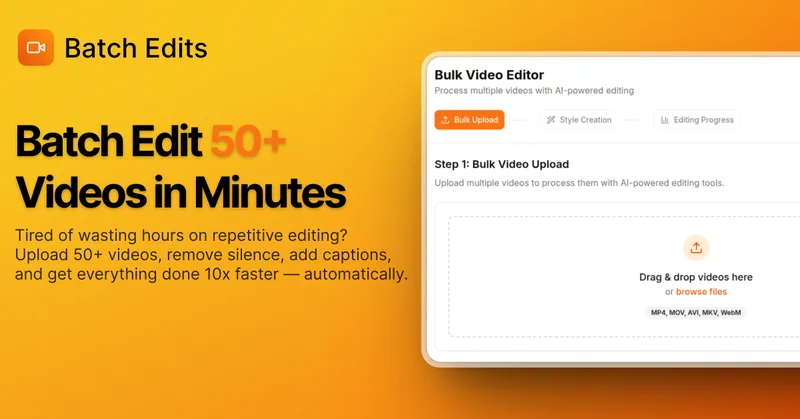
BatchEdits
BatchEdits is a web-based batch AI video editor for content creators that processes up to 50 videos simultaneously to remove silence, add auto-captions in 50+ languages, apply auto-zoom and crop for platform-specific formats, enabling high-volume creators to scale editing work.
Vidmoat
Vidmoat is an agent-first AI video editor that automates cutting, captions, color grading and multi-format export. Users type a prompt (or connect their own agent) and Vidmoat’s built-in AI or a connected MCP agent produces finished videos ready for TikTok, Reels, Shorts and YouTube.

Choppity
Choppity is an AI-powered video editing platform that automatically turns long-form videos and podcasts into 20–50+ short social clips with automated transcription, captioning, framing, tracking, and one-click posting/scheduling for TikTok, Instagram Reels and YouTube Shorts.

Writepanda
PandaStudio (by Writepanda) is a local-first, agent-native video editor for macOS and Windows that records screen/camera/podcasts and uses on-device transcription and user-provided AI accounts to automate editing, captions, and publishing. It is sold as a one-time license with lifetime updates.


Vizard
Vizard is an AI-first video editing and clipping platform that automatically converts long-form videos into social-ready short clips (TikTok, Instagram Reels, YouTube Shorts) and provides an editor, team workspace, and automation to scale content production for creators, marketers, coaches and agencies.

reap: AI Video Editor
reap is an AI-first video editor that automates turning long videos, webinars, and interviews into clips, animated captions, dubbed audio, and translated subtitles across 100+ languages, with REST API, CLI, and MCP for automation and publishing.

Premium Alternatives
Tella
Tella is an all-in-one screen recorder and video editor that captures screen, camera, microphone and system audio on Mac, Windows or in the browser, and provides editing, AI-assisted cleanup, hosting, analytics, and team collaboration for sharing or exporting videos up to 4K.
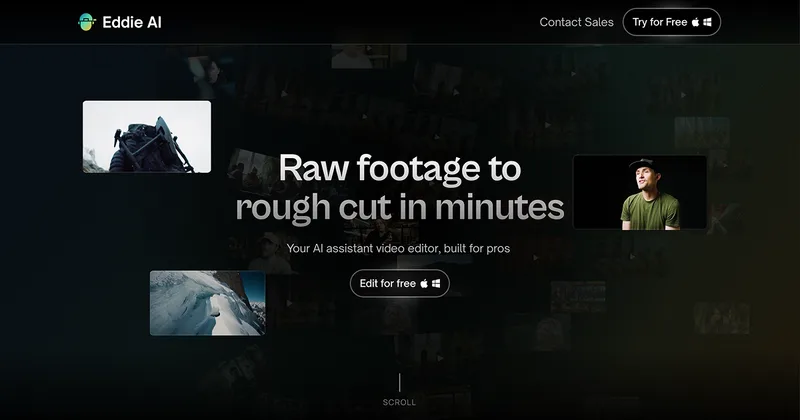
Eddie AI
Eddie AI is an AI assistant video editor that turns raw footage into structured rough cuts from plain-language instructions. It also handles tasks such as footage logging, multicam editing, color grading, captions, and music, with exports to professional NLEs.