










No credit card required for 2440+ tools

Free Productivity AI Tools

Discover 2440+ free and freemium AI tools across 50+ categories.

Free Forever API
Autoslide AI PowerPoint Add In

Autoslide AI PowerPoint Add In

Autoslide is a Windows-only PowerPoint add-in that integrates advanced AI models to generate slide content, design layouts, and visuals directly inside PowerPoint to help professionals create presentation slides faster.

Productivity
100% Free API
Deepmark

Deepmark

Deepmark is a private, unified bookmark library that automatically captures and AI-indexes everything you save (browser bookmarks, X, Instagram, YouTube) with transcripts, visual descriptions, and semantic search across ~99 languages.

Productivity
Free Forever
threadfork

threadfork

threadfork is a macOS native, on-device AI notetaker that records, transcribes, and organizes meetings locally on Apple Silicon — generating summaries, threads (commitments/decisions), entities, and semantic search without sending audio to the cloud.

Productivity
Free Forever
Afterlid, guarded lid closed work for macOS

Afterlid, guarded lid closed work for macOS

Afterlid is a native macOS menu‑bar app that keeps downloads, renders, backups, dev servers, remote access, and local AI agents running after you close the lid by offering guarded modes (Sleepy, Awake, Always On) with built‑in battery, thermal, heartbeat, and time limits.

Productivity
100% Free
AI Buddy

AI Buddy

AI Buddy is a free, menu-bar macOS utility for quick screenshots and real-time speech-to-text dictation, letting users capture regions, windows, or full screen and paste images or transcribed text from the clipboard with a single keystroke.

Productivity
Free Forever
Vehla

Vehla

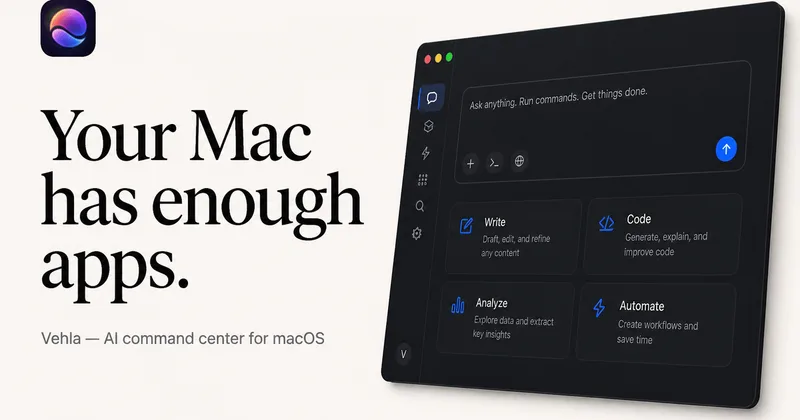
Vehla is a native macOS command center that consolidates launch, window management, clipboard history, dictation, on-device AI, shelves, notes, and workflows into one hotkey-driven app, with a free tier and an optional one-time Pro license.

Productivity
100% Free
CardGo

CardGo

CardGo is a Chrome extension and context-management product that stores small, reusable, end-to-end encrypted AI context “cards” you attach to chats (ChatGPT, Claude, Gemini, Perplexity, Grok) so multiple AI tools can access the right user context without sharing your full profile.

Productivity
Free Forever
App Launch

App Launch

GrabThat is a Windows desktop launcher that uses natural language processing to connect users to local files, apps, scripts, and team knowledge bases—running 100% offline and configurable for individual and team workflows.

Productivity
Free Forever API
Habit Pocket

Habit Pocket

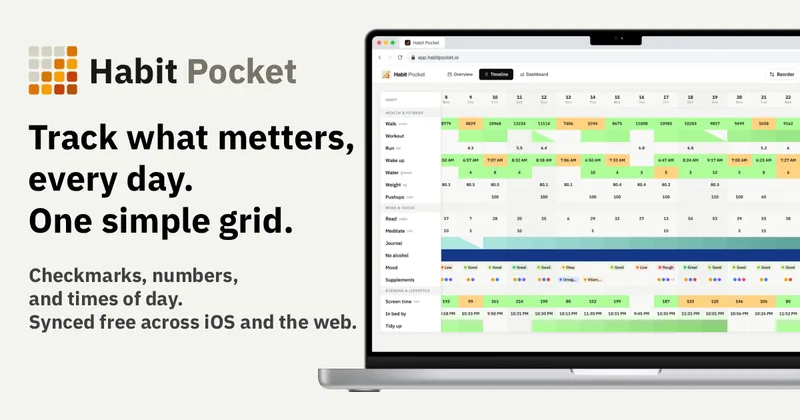
Habit Pocket is a multi-platform habit tracker that logs yes/no checks, numeric values, times, and categorical selections in a single grid, plus charts and AI integrations to reveal correlations between habits, sleep, mood, and energy.

Productivity
Free Forever
Dotflowy

Dotflowy

Dotflowy is an open-source, fast outliner for capturing, organizing, and shaping ideas with real-time sync, tags/filters, instant search, and export to OPML/Markdown. It supports personal and team workflows and offers optional AI agent integration.

Productivity
100% Free
TriageBox

TriageBox

TriageBox AI Gmail Checker is a Chrome extension and native Android app that turns a Gmail inbox into a prioritized triage queue — archive, snooze, unsubscribe, sweep senders with exact counts, and optionally generate AI summaries using keys you supply. Data processing runs in the user’s browser; no developer-operated backend.

Productivity
Free Forever
Saga

Saga

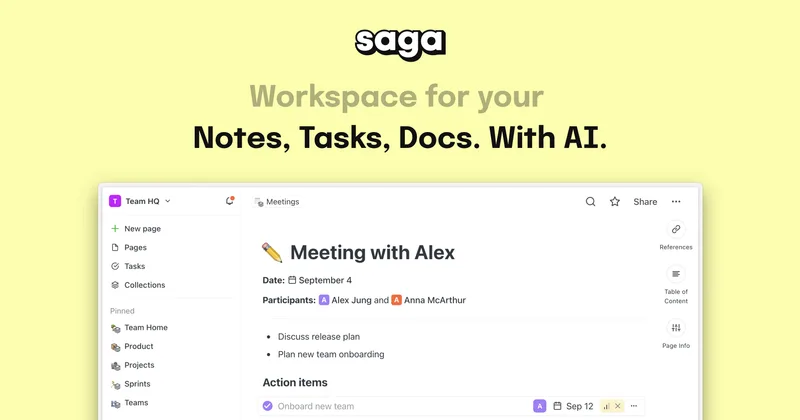
Saga is an AI workspace that connects notes, documents, and lightweight task management for individuals and teams. It includes an AI assistant, collaboration features, and integrations with Google Drive and Linear.

Productivity
Free Forever
Zemith

Zemith

Zemith is a web and mobile AI productivity app that brings multiple AI models, research, file tools, image and video generation, and workflow automation into one workspace. Users can switch models, delegate cloud tasks, and create finished documents, slides, spreadsheets, and other outputs.

Productivity
100% Free API
dart

dart

Dart is an AI-powered work management platform where teams coordinate people and AI agents around shared tasks, plans, and goals. It supports project planning, agent orchestration, and integrations with tools such as coding agents, Slack, GitHub, and Google Calendar.

Productivity
Free Forever
trevorai-com

trevorai-com

Trevor AI brings tasks and calendars together, then uses AI to estimate task durations, suggest time slots and build daily or weekly plans. It is available on the web for mobile and desktop, with a free personal plan and paid plans.

Productivity
Free Forever
Arvin

Arvin

Arvin is an all-in-one AI web application and Chrome extension that provides AI chat, writing, translation, and AI-powered design tools (logo, signature, business card, mockups) by connecting to models like GPT, Claude, and Gemini.

Productivity
Free Forever
omigpt

omigpt

Omi is a wearable personal AI notetaker (pendant and glasses) that continuously captures conversations, transcribes and summarizes them, creates tasks and searchable memories, and syncs across phone, desktop and web. It is open source, supports offline recording in 25+ languages, and targets professionals who want to stay present in meetings while preserving actionable records.

Productivity
Free Forever
GPT Workspace

GPT Workspace

GPT Workspace is a Chrome extension and Google Workspace add-on that embeds multiple AI models (ChatGPT, Claude, Gemini, and others) directly into Google Docs, Sheets, Slides, Gmail, and Drive to help users write, summarize, analyze, and automate tasks without leaving their apps.

Productivity
Free Forever
Reflect

Reflect

Reflect is an open-source, cross-device note-taking app focused on networked notes, daily notes, backlinks, and local Markdown files, with optional AI-assisted features that connect to your own API key.

Productivity
Free Forever
Trevorai

Trevorai

Trevor AI is a web-based AI planner that unifies tasks and calendars, predicts task durations, and automatically time-blocks work to help individuals and teams plan optimal days and weeks.

Productivity
100% Free API
Todoist

Todoist

Todoist is a cross-platform to-do list and task manager used by millions to capture, organize, and prioritize personal and team work using natural-language entry, templates, and collaboration features.

Productivity
100% Free API
fathom-2-0

fathom-2-0

Fathom is an AI-powered meeting notetaker that automatically records meetings, generates transcripts, summaries, action items, and searchable meeting insights to help teams stay present and move work forward.

Productivity
100% Free
TickTick

TickTick

TickTick is an all-in-one productivity app that combines to-do lists, calendar views, habit tracking, Pomodoro timer, and collaboration features to help individuals and teams organize tasks, plan schedules, and stay focused across devices.

Productivity
Free Forever
Kome

Kome

Kome is an AI-powered browser extension that summarizes articles, webpages, news, YouTube videos and provides a bookmark manager and AI-assisted composition tools to speed up reading and organize saved content.

Productivity
Premium

Ready for Production-Scale AI?

Explore enterprise-grade AI tools with advanced features, SLA guarantees, and dedicated support.

Explore Premium Tools
Showing page 1 of 4 (88 tools total)
Previous Next

Get Weekly Free Tool Drops

Join 10,000+ product leaders who discover new free AI tools every week. No spam, just quality tools.

Unsubscribe anytime. No spam, ever.

J
M
S
Join 10,000+ subscribers

Explore by Category

Browse free AI tools across 45+ categories. Find the perfect tool for your specific use case.

How to Choose the Right Free AI Tools

Finding the right free AI tools can be hard when new options launch daily. Our directory of 2440+ free and freemium AI tools helps you compare use cases, limits, and pricing before committing to a paid subscription. After building a shortlist, run an AI tools comparison side-by-side or browse the full AI tools directory for more options.

Key Considerations When Choosing Free AI Tools

Pricing Model

Understand the difference between 100% free tools, freemium (free forever with limits), and free trials. Our badges clearly distinguish between these options.

Usage Limits

Many free tools impose caps on usage, API calls, or features. Check if the free tier meets your needs before investing time learning a new tool.

API Access

For developers and power users, API availability is crucial. Look for the "API" badge to find tools that offer programmatic access, even on free tiers.

Popular Free AI Tool Categories

Writing & Content

AI writing assistants, content generators, and copywriting tools that help create compelling content faster.

Explore writing tools →

Image Generation

Create stunning visuals with AI image generators, editors, and design tools without spending a dime.

Explore image tools →

Development

Code assistants, debugging tools, and development utilities powered by AI to boost productivity.

Explore dev tools →

Productivity

Workflow automation, note-taking, and productivity enhancers that help you get more done.

Explore productivity tools →

Frequently Asked Questions

Are these tools really free?
Yes! We carefully verify each tool's pricing model. 100% Free tools have no paid tiers. Free Forever (freemium) tools offer a free tier indefinitely. Free Trial tools let you test before committing.
How often is this directory updated?
Our directory is updated daily. We continuously add new free AI tools and verify existing tool pricing to ensure accuracy.
Can I submit a free AI tool?
Absolutely! If you've built a free AI tool or know of one we missed, please submit it here. We review submissions within 24-48 hours.
What's the difference between free and freemium?
Free tools are completely free with no paid tiers. Freemium tools offer a free tier forever but also have paid plans with additional features. Both are valuable—the key is understanding whether the free tier meets your needs.
Do free tools have limitations?
Many free tools have usage limits like monthly requests, file size caps, or feature restrictions. These limits are often generous enough for personal use or small projects. Always check the free tier details before depending on a tool for critical work.
Are these tools safe to use?
We only list established tools from reputable sources. However, always review privacy policies, especially when uploading sensitive data. Look for tools with transparent data practices and security certifications.
How do I know which free tool is right for me?
Start by identifying your primary use case, then filter by category. Read tool descriptions to understand capabilities, check usage limits match your expected volume, and look for tools with active communities and regular updates.
Can I use free tools for commercial purposes?
It depends on each tool's terms of service. Some free tools allow commercial use, while others restrict it to personal use only. Always check the license agreement before using a free tool in a commercial project.
What happens when a free tool becomes paid?
We monitor tool pricing and update our directory accordingly. If a previously free tool introduces pricing, we'll update its badge. Some tools grandfather existing users into free tiers, so it's worth signing up early for tools you like.
Do you offer free alternatives to popular paid tools?
Yes! Many of our free tools are capable alternatives to expensive software. Use our category filters to find free options in specific domains like writing, image generation, coding, and productivity.